$49One-time paymentUpdates & support included
01
Overview
WC Cancel Order Pro adds a cancellation workflow to WooCommerce. Customers request a cancellation for a whole order, or for specific items and quantities, straight from the My Account orders list. You review each request in one dashboard and approve or decline it.
When you approve a request, you choose how to refund it: an automatic refund through the payment gateway, a manual refund, or a credit to the customer's store wallet. The plugin creates the WooCommerce refund record, can restock the cancelled items, and can take a fixed or percentage cancellation fee off the refund.
You decide which order statuses and customer roles can request a cancellation, which statuses allow an instant cancellation without review, and when the cancel button should disappear. Email notifications keep you and the customer informed at every step.
02
Why store owners choose it
Customers can cancel only the items they no longer want, so you keep the rest of the sale.
Requests wait for your approval, except for the order statuses you set for instant cancellation (Processing and On hold by default).
Store wallet credit keeps refunded money in your store for the customer's next purchase.
An optional fixed or percentage cancellation fee is shown upfront and taken off the refund automatically.
Everything is managed from WooCommerce → WC Cancel and the WC Cancel tab in WooCommerce settings.
03
Features
Full and partial cancellation
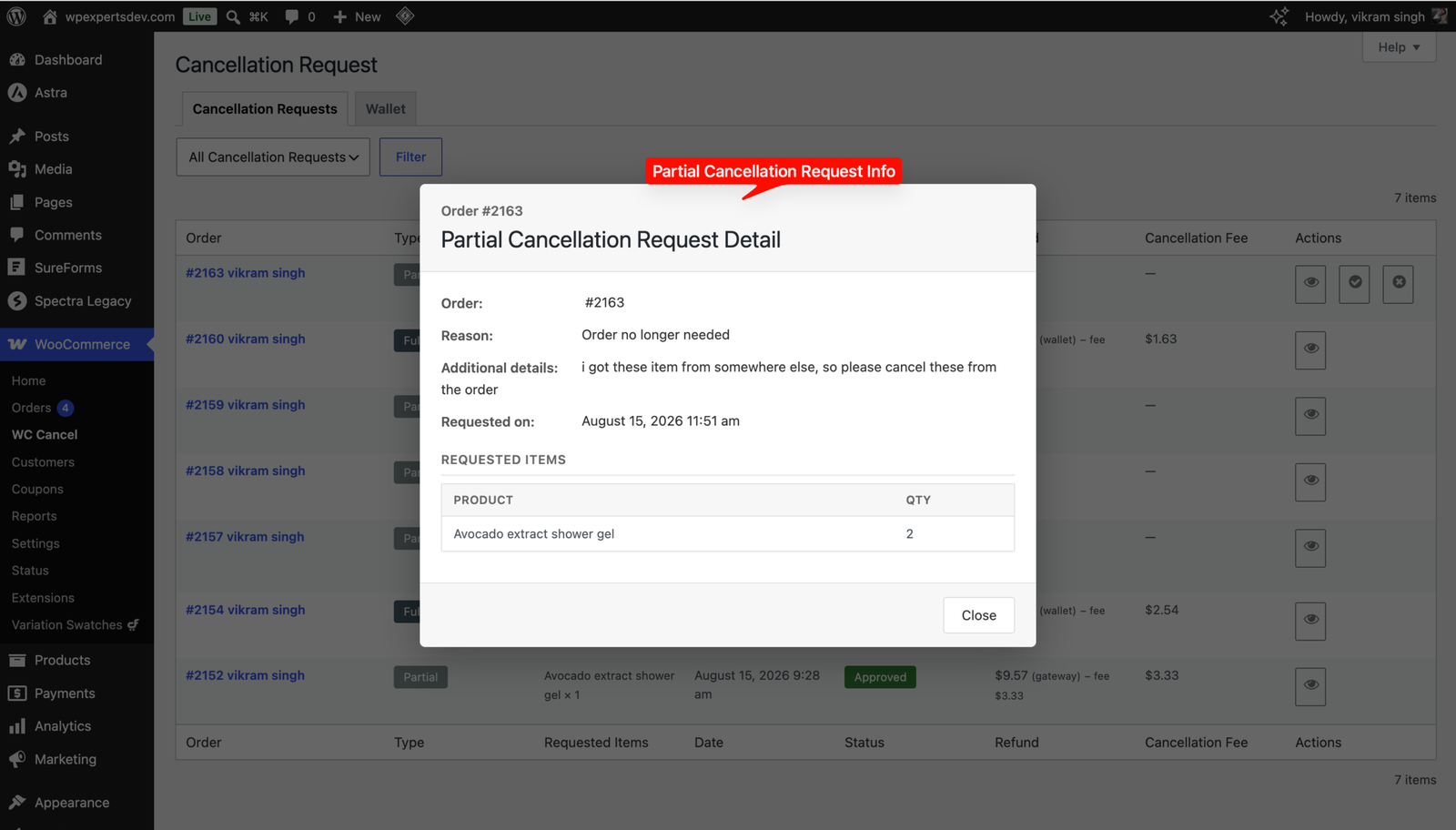
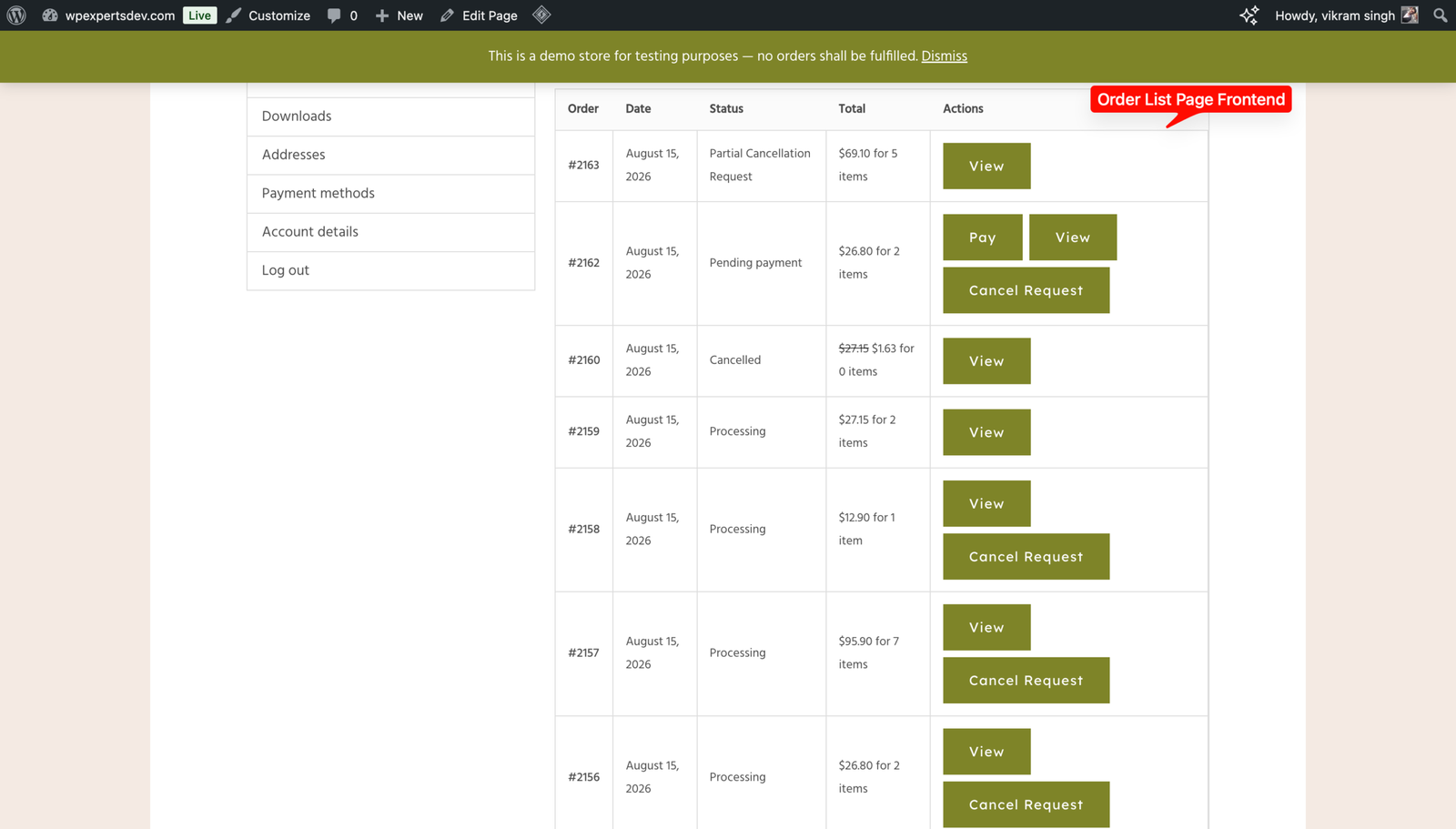
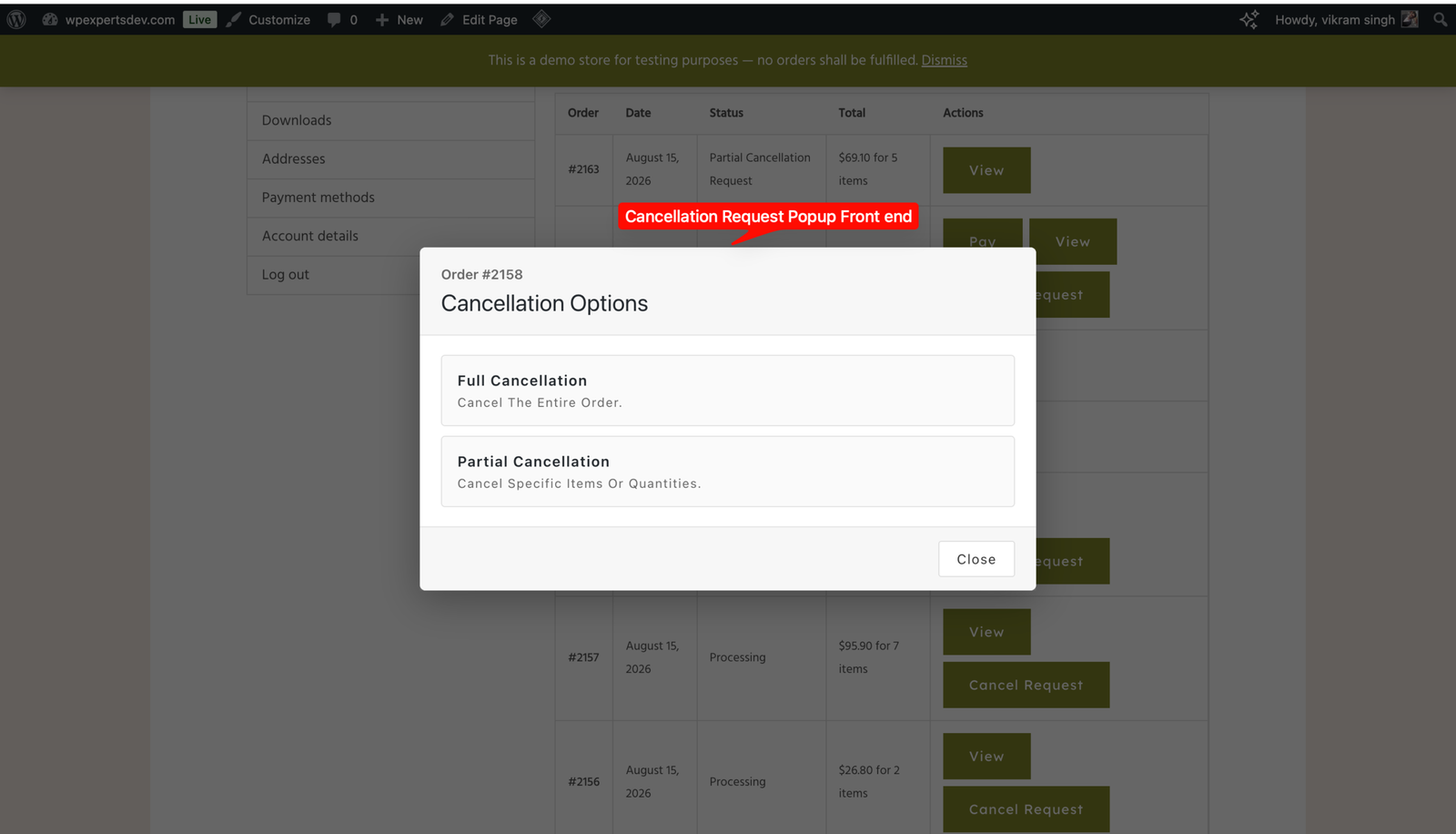
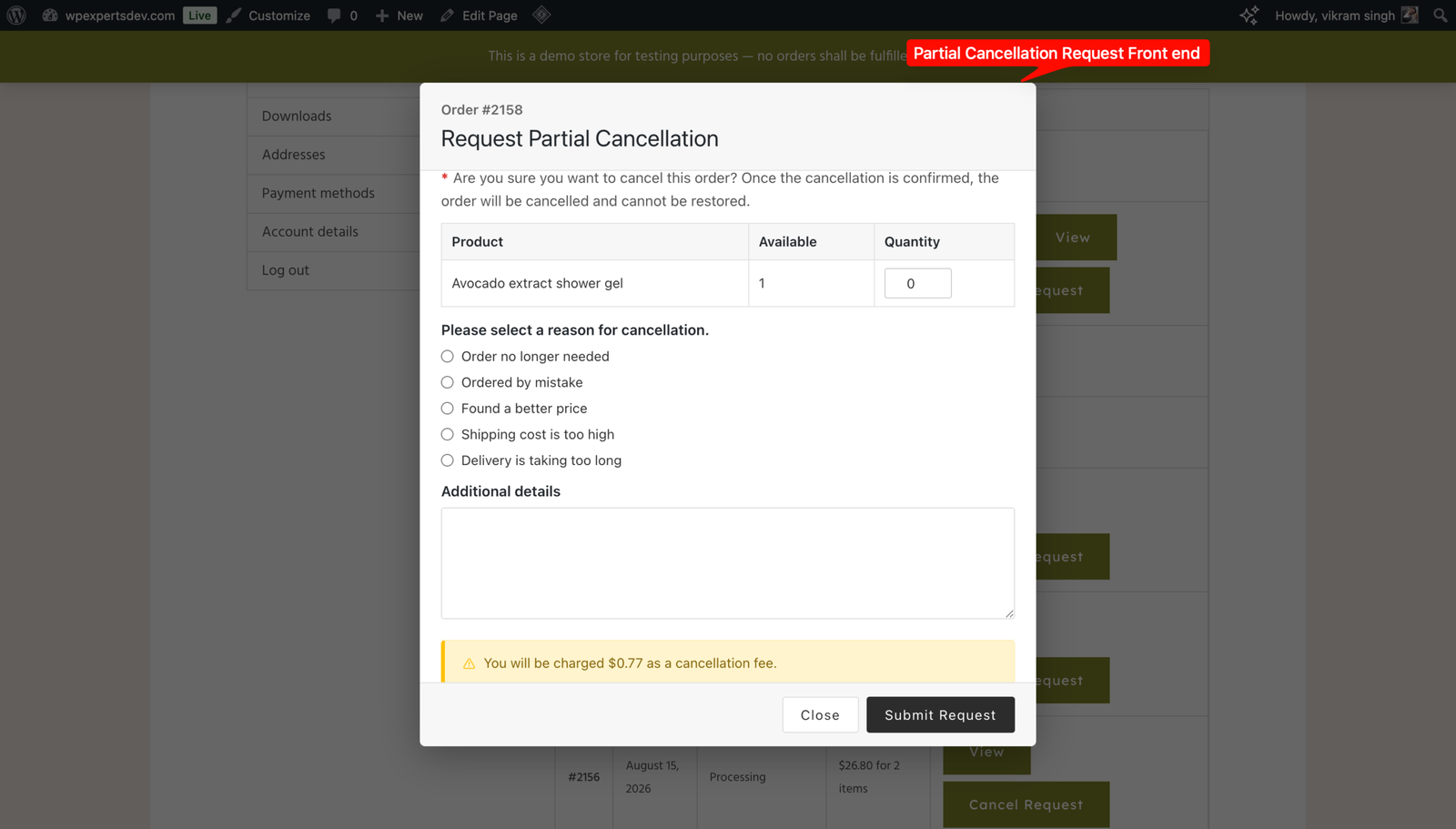
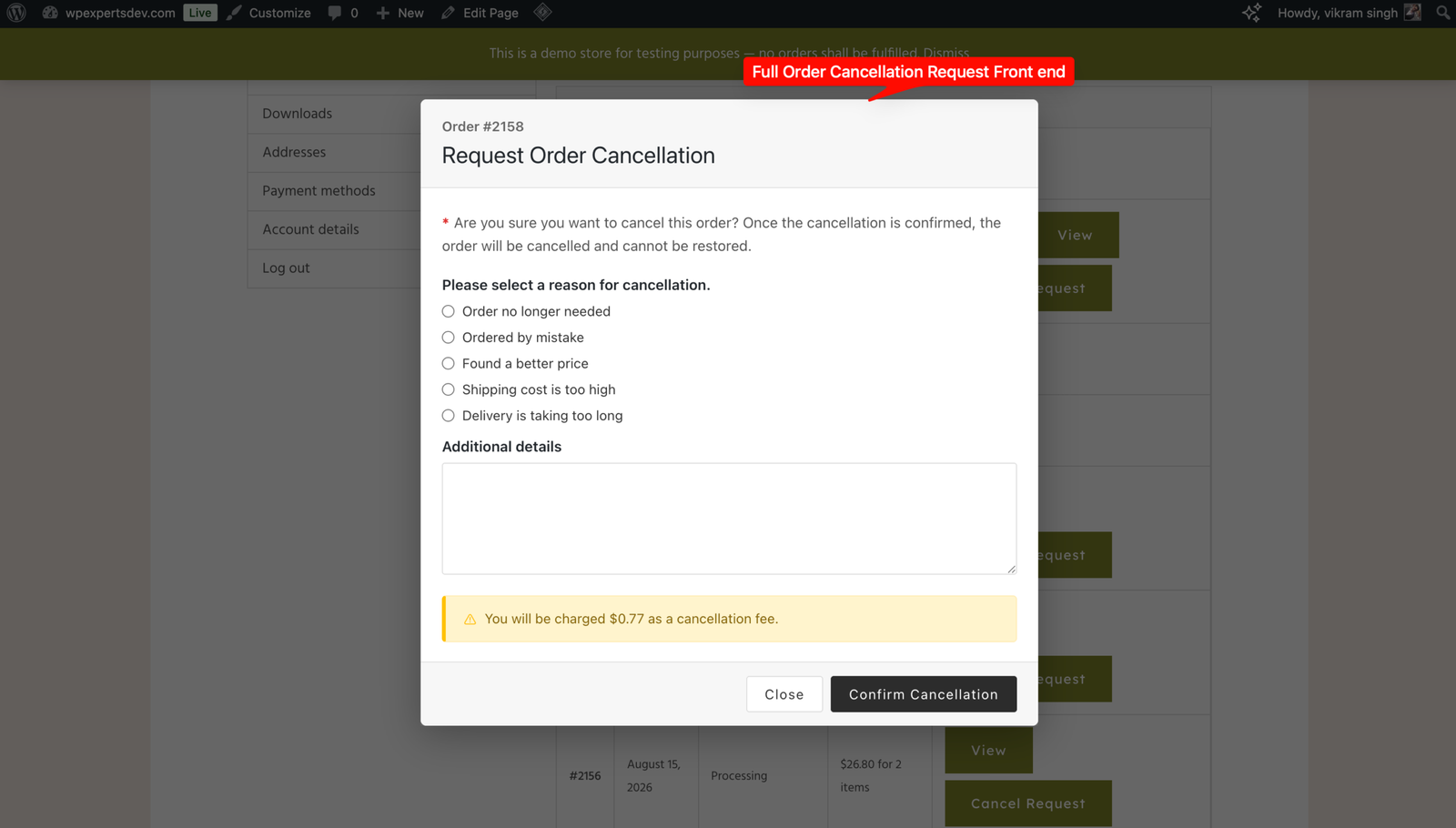
Customers can cancel a whole order or pick specific items and quantities. A single Cancel Request button offers both choices when both are available.
Approval dashboard
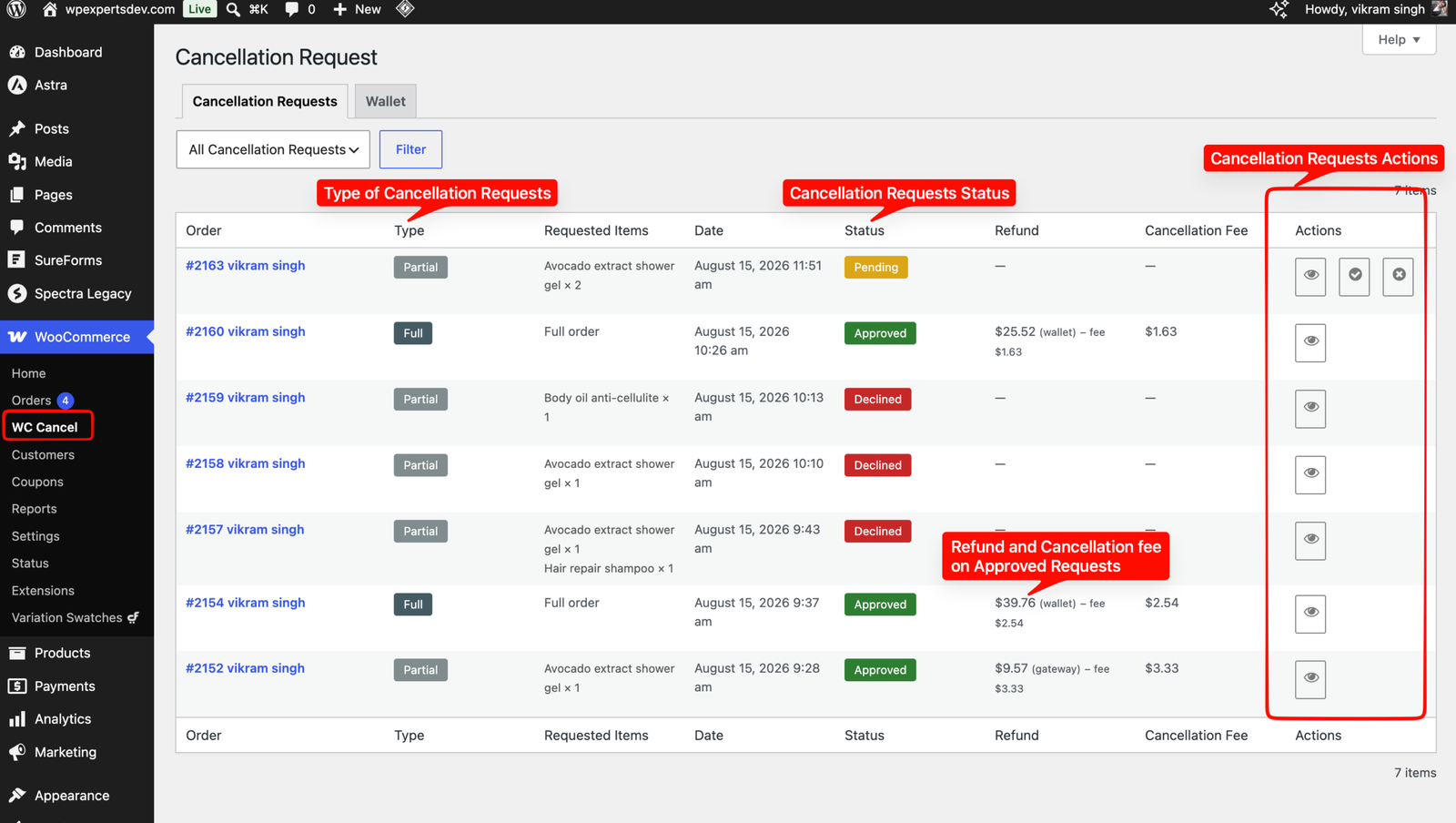
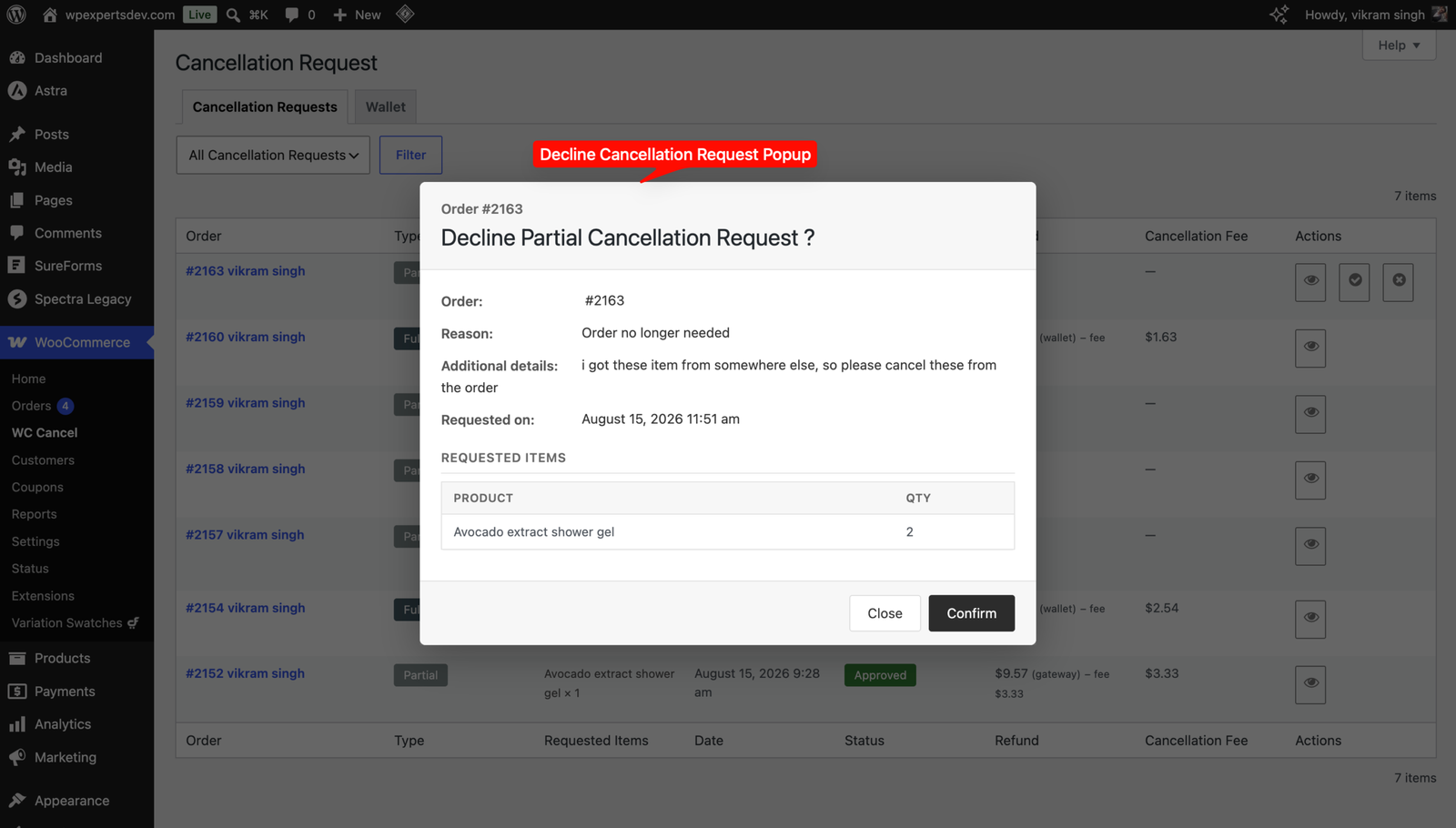
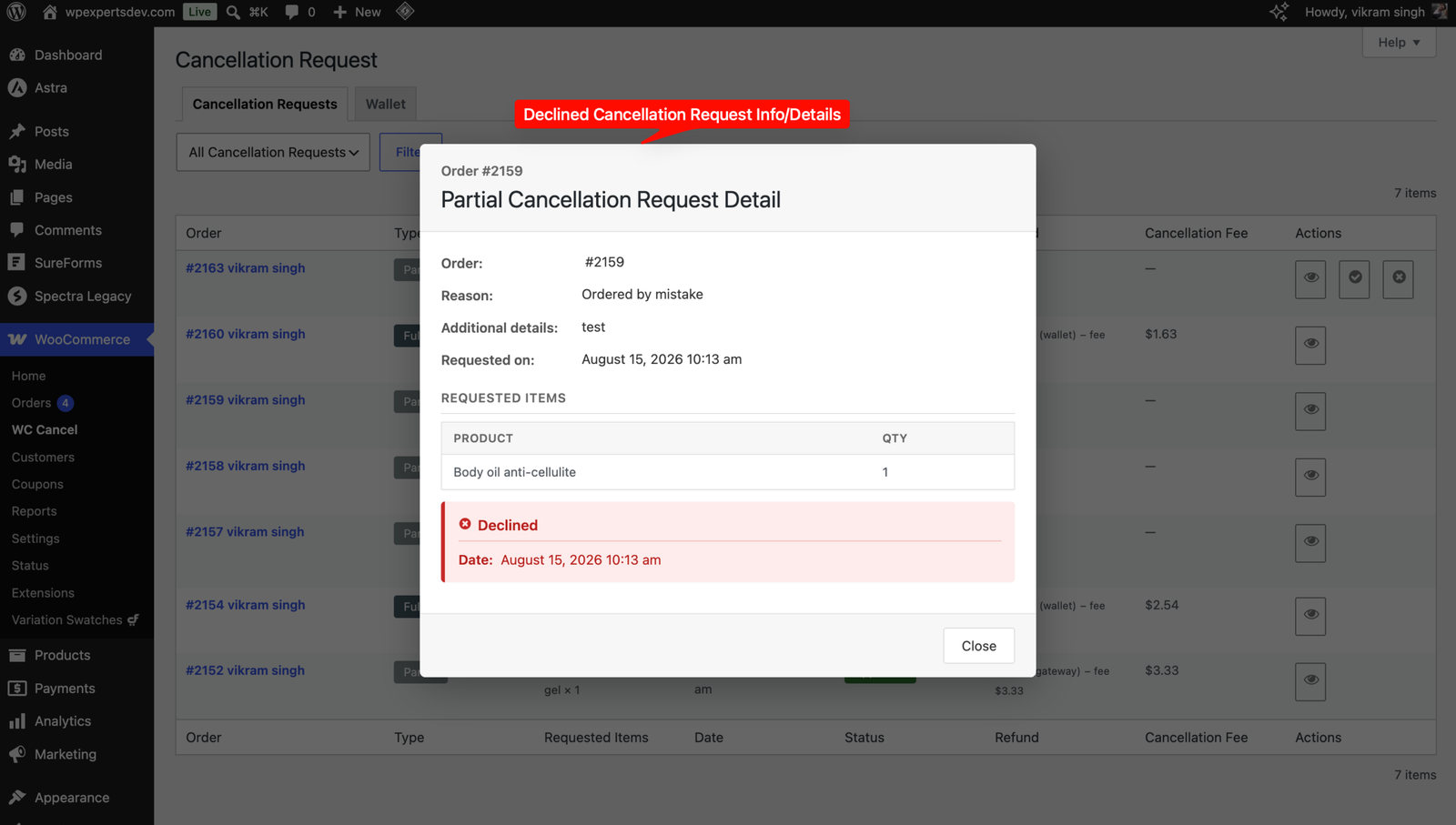
One Cancellation Requests screen lists full and partial requests, with a type filter, requested items, status, refund and fee columns, approve or decline actions and bulk approve or decline.
Three refund methods
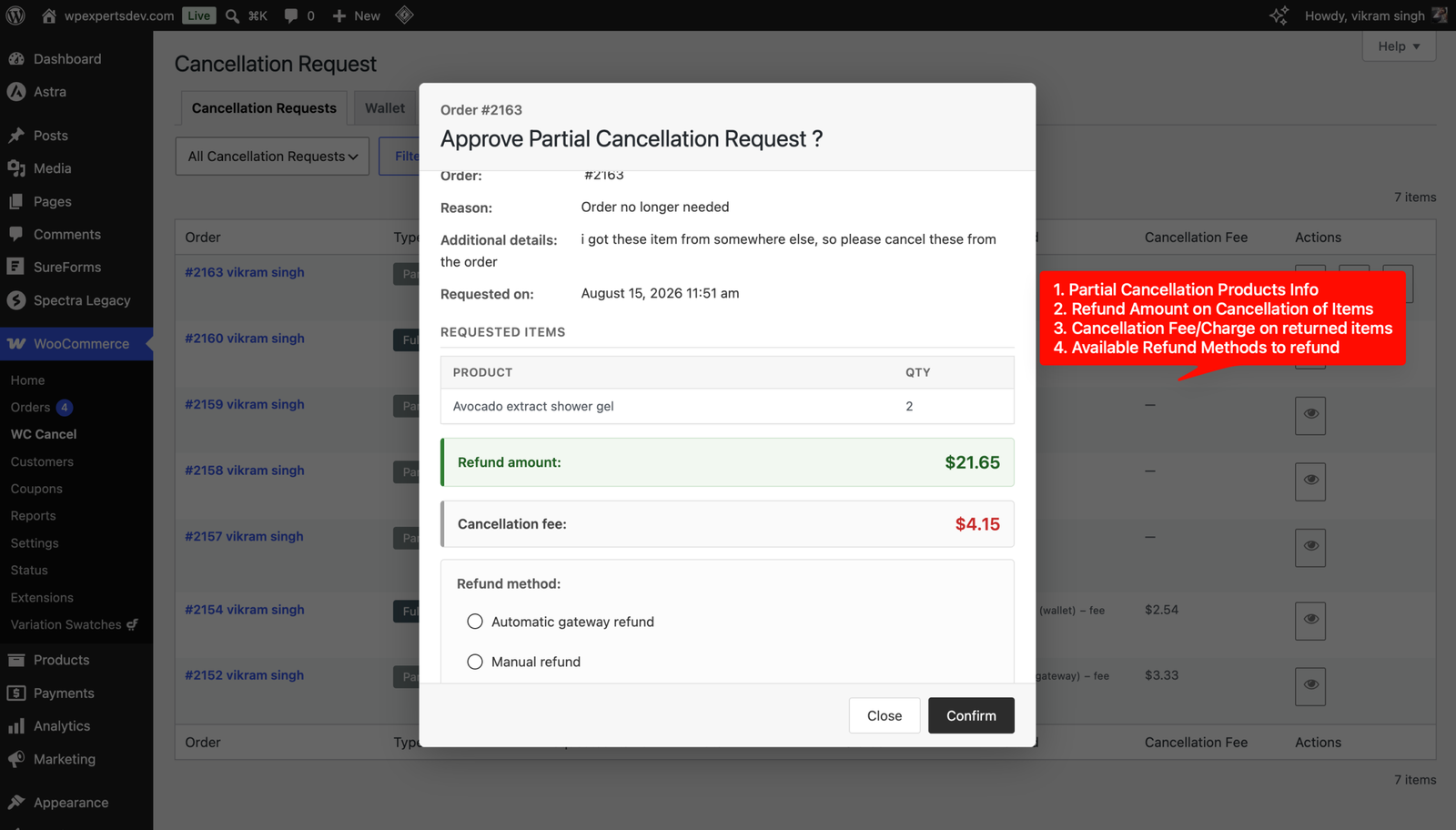
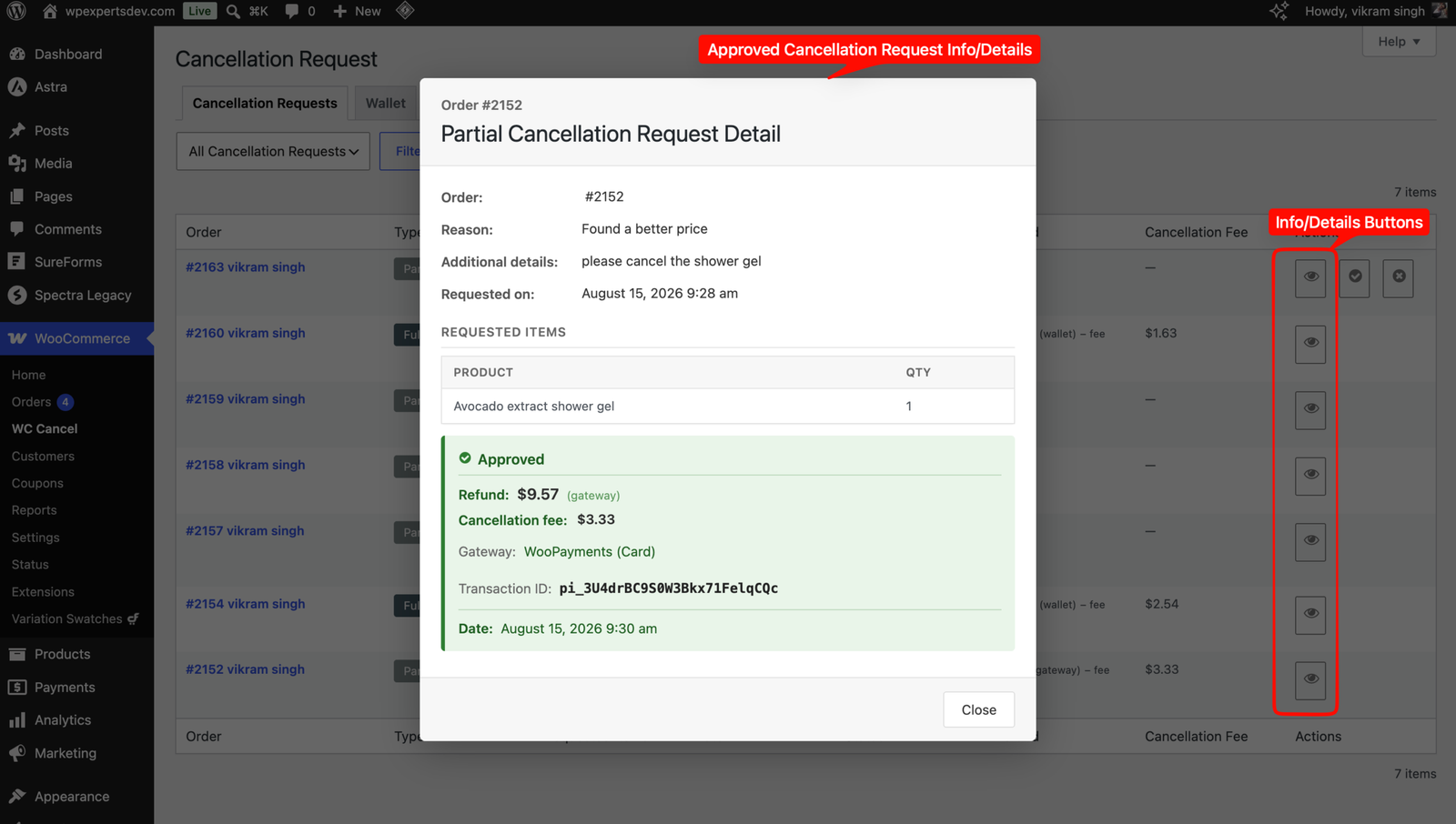
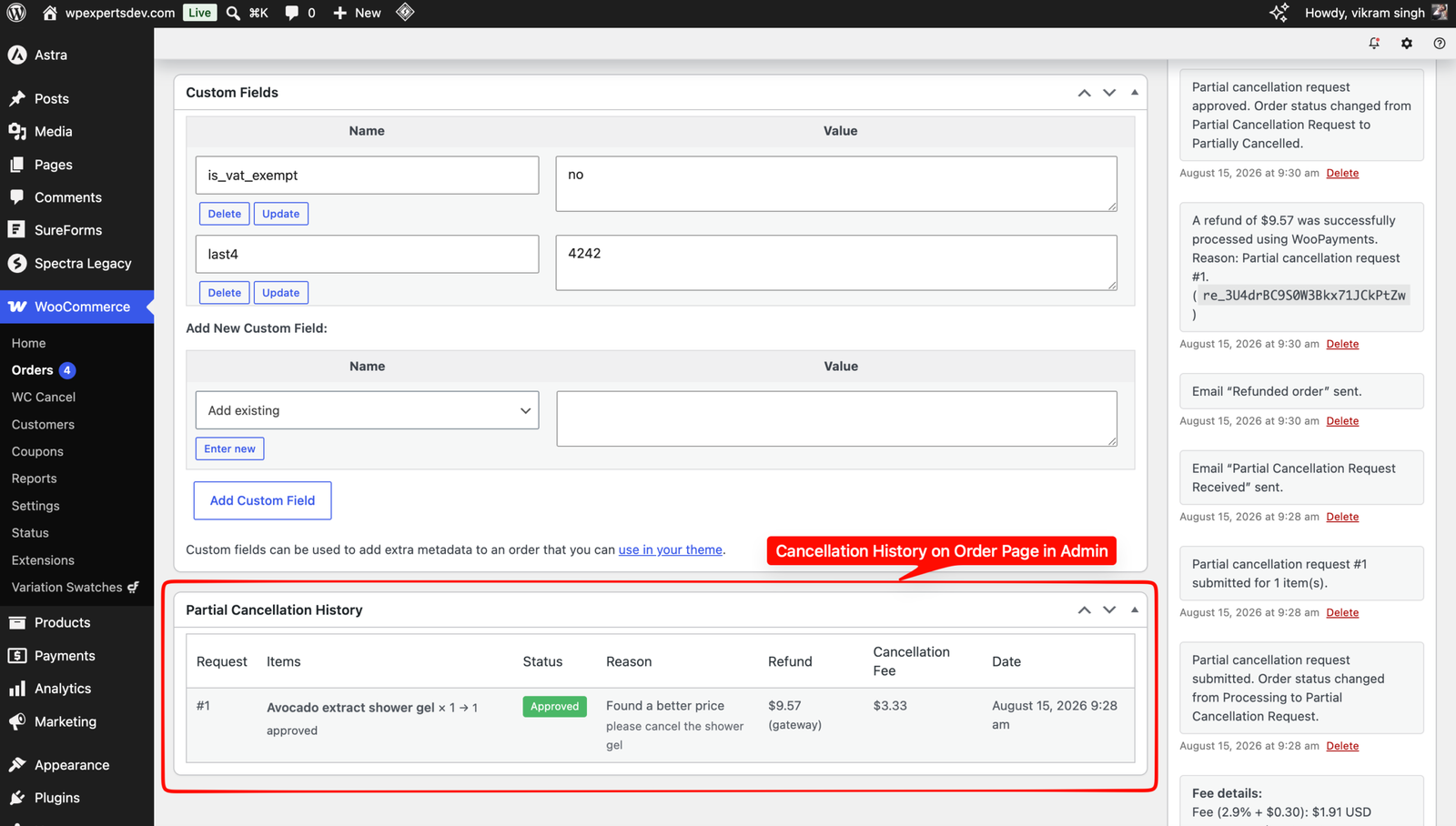
When approving, choose an automatic gateway refund, a manual refund or a wallet credit, with optional automatic restocking. The refund amount, method, gateway transaction ID and decision date are recorded on the request.
Store wallet and payment method
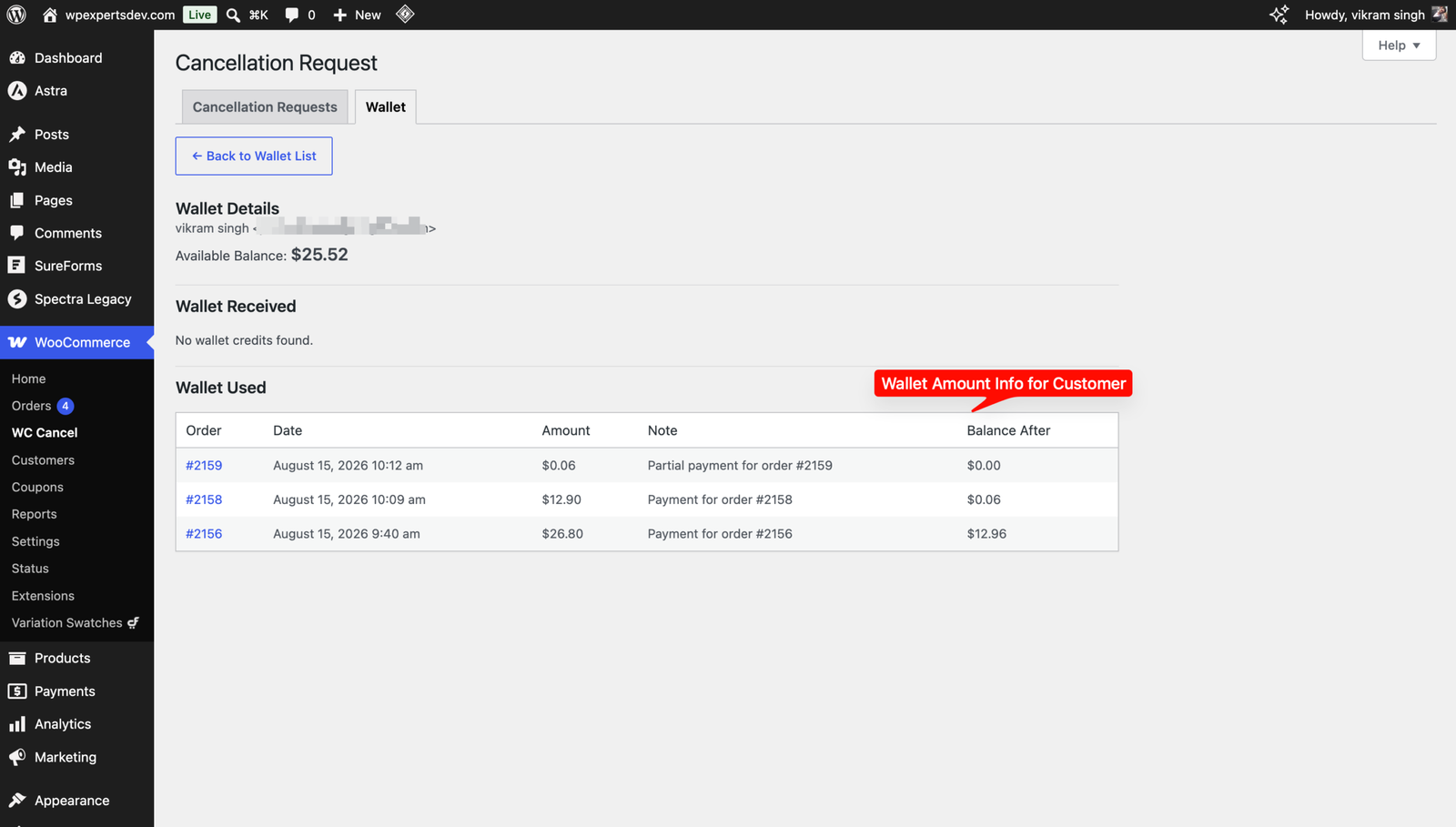
Wallet credits appear in a Wallet tab in My Account, and customers can pay with a Store Wallet payment method on classic and block checkout when the balance covers the order total. Refunds of wallet-paid orders go back to the wallet.
Wallet overview for admins
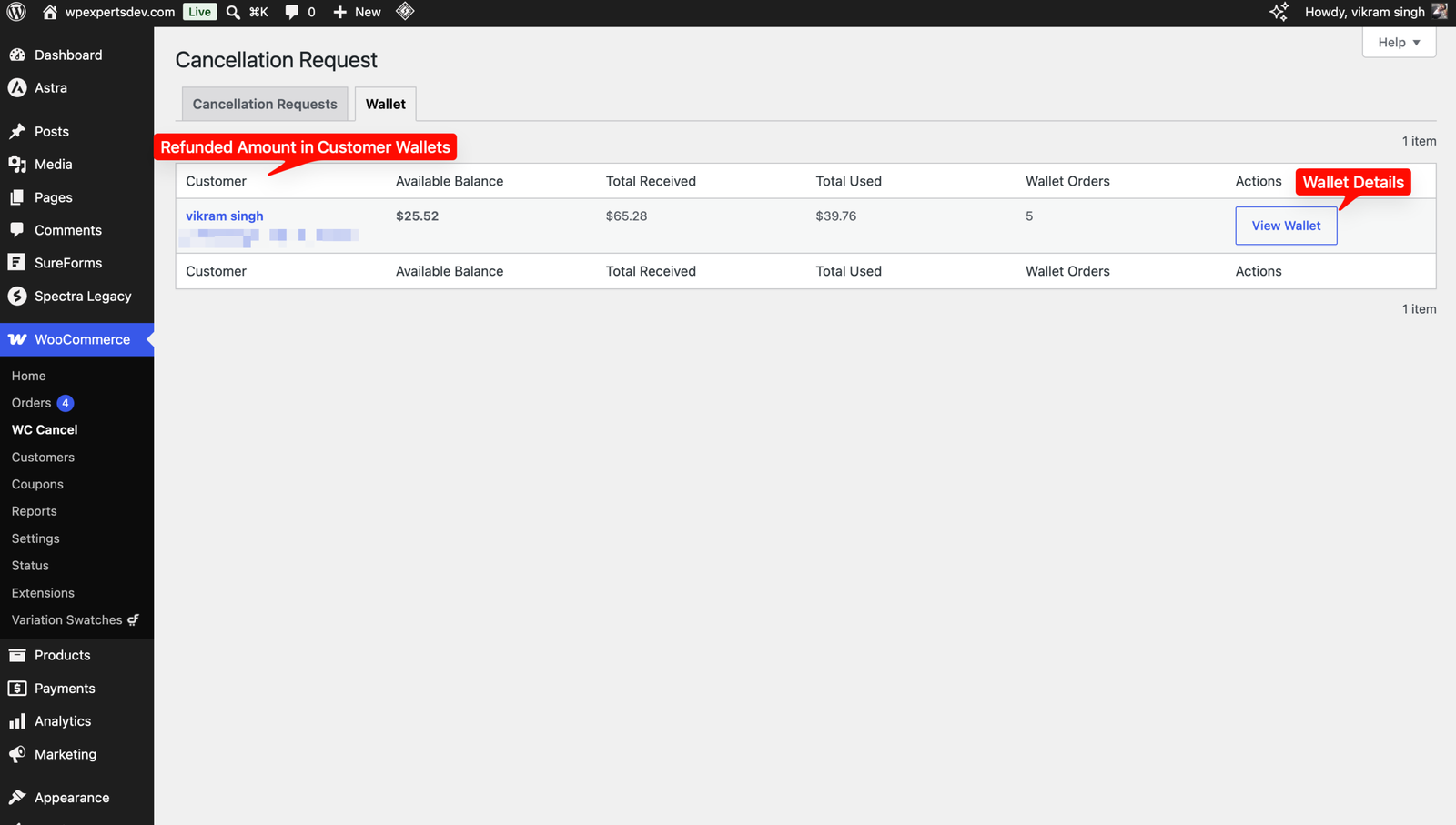
The Wallet tab under WC Cancel shows each customer’s available balance, total received and total spent. Open any customer to see every wallet credit and debit by order, with item details for partial cancellations.
Cancellation fee
Charge a fixed amount or a percentage of the order total. The fee is shown in the customer’s popup before they confirm, deducted from the refund on approval, and included in order notes, the approval email and the dashboard.
Reasons and customer notes
Set your own list of cancellation reasons, make a reason required, and add an optional text field that is always shown, hidden, or shown only for a chosen reason.
Status, role and time rules
Choose which order statuses allow requests or instant cancellation, which user roles see the button, the status set on approval, whether a declined order gets a fixed status or its previous status back, and when the button stops showing.
Email notifications and guest links
Seven WooCommerce emails cover requests received, approved and declined for full and partial cancellations, plus wallet credits. Guest customers can cancel using a link added to their order emails.
04
How it works
- 1
Install and configure
Activate the plugin and your licence under Plugins → WpExperts Hub Licences, then open WooCommerce → Settings → WC Cancel to set eligible order statuses, roles, reasons, refund methods and any cancellation fee.
- 2
Customer requests a cancellation
From My Account, the customer clicks Cancel Request, chooses a full or partial cancellation, selects a reason and submits.
- 3
Review the request
Open WooCommerce → WC Cancel to view the request details, then approve or decline it.
- 4
Refund and notify
On approval, pick a gateway, manual or wallet refund. The order status updates, stock can be restored and the customer receives an email.
05
Screenshots & demo
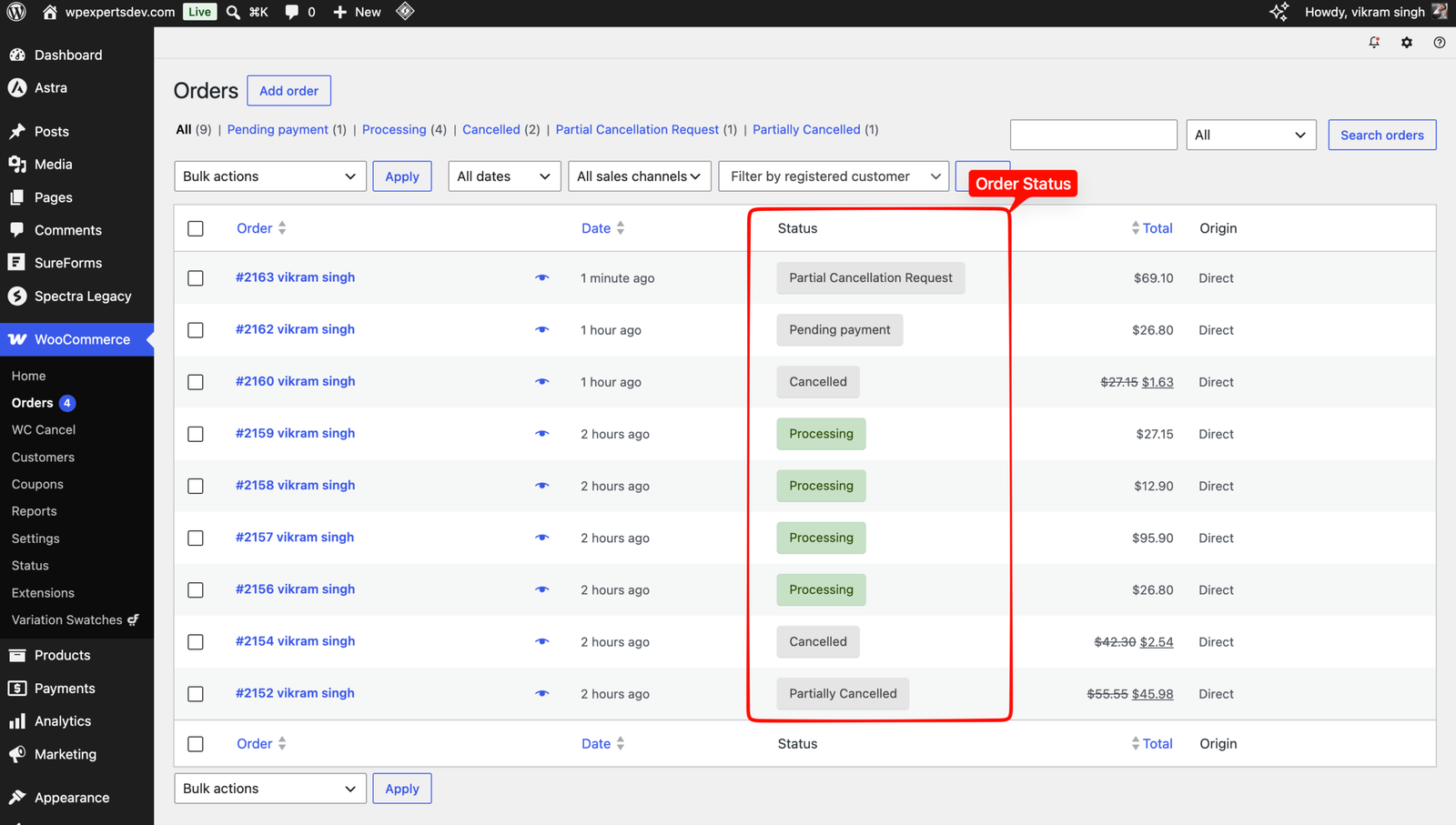

06
Settings & configuration
Common Settings
COMMONOrder statuses that can request cancellation, the status on decline (a fixed status or the status before the request), allowed customer roles, reason options, whether a reason or text is required, the additional text field, the time limit for hiding the button, the popup note and guest cancellation.
Refund (Partial & Full Cancellation)
REFUNDWhich refund methods are available on approval (gateway, manual, wallet), the default method and automatic restocking.
Cancellation Fee
FEETurn the fee on or off, and choose a fixed amount or a percentage of the order total. The fee applies only when a refund method is enabled.
Full Cancellation
FULLOrder statuses that are cancelled at once without approval or refund (Processing and On hold by default), and the status set after a full cancellation.
Partial Cancellation
PARTIALTurn partial (per-item) cancellation on or off and set the order status for fully and partially cancelled orders.
07
Requirements & installation
Who it is for
It suits WooCommerce stores that want self-service order cancellation while you keep control. However, you still decide on approvals, refunds, stock and fees. For example, it works well for multi-item orders, store credit instead of gateway refunds, and different rules per status or role.
Requirements
- WordPress 6.7 or later (tested up to 7.1)
- WooCommerce 8.0 or later (tested up to 11.1)
- PHP 7.4 or later
Installation
- Make sure WooCommerce is active. Upload the plugin under Plugins → Add New → Upload Plugin and activate it. If the free WC Cancel Order plugin is active, the Pro plugin switches it off for you and keeps its settings and requests.
- Open Plugins → WpExperts Hub Licences, paste your licence key and click Activate licence. The plugin works without a licence, but updates need it.
- Open WooCommerce → Settings → WC Cancel. Set the order statuses, roles, reasons, refund methods and cancellation fee. Orders in Processing and On hold can be cancelled at once by default, so review the Full Cancellation section.
- Optionally, turn on the Store Wallet payment method under WooCommerce → Settings → Payments.
- Manage requests and wallet balances under WooCommerce → WC Cancel.
08
Documentation & support
09
Frequently asked questions
Can customers cancel only some items in an order?
Yes. With partial cancellation turned on, customers can choose specific items and quantities to cancel. You then approve or decline the request, and the order is set to the status you chose for partially or fully cancelled orders.
Can I control who can cancel, and for how long?
Yes. Choose which order statuses and customer roles can request a cancellation, and set a time limit in minutes, hours, days, months or years after the order is placed, after which the Cancel Request button disappears. Requests need your approval, except for orders in the statuses listed under “Allow immediate full cancellation” (Processing and On hold by default), which customers can cancel straight away with no refund. Clear that setting if you want to approve every request.
How are refunds issued when I approve a request?
You can enable automatic gateway refunds, manual refunds and wallet credits, and choose one in the approval popup. If no refund method is enabled, the request is approved without a refund.
How does the store wallet work?
Wallet credits are added to the customer’s balance, which they can see in the Wallet tab of My Account. The Store Wallet payment method is offered on classic and block checkout when the balance covers the full order total, and refunding a wallet-paid order credits the wallet again. Wallet credit is only offered for orders placed with a customer account.
Can guests cancel their orders?
Yes, if you turn on guest cancellation. A cancel link is added to the guest’s order emails, and it opens a page where they can submit the request.
Does it work with WooCommerce Subscriptions and Ultimate Member?
Yes. The cancel button is added to the WooCommerce Subscriptions subscription view (for the parent order) and to the Ultimate Member WooCommerce orders tab. When a full request is approved, the subscriptions of the parent order are cancelled too.
How do I activate my licence and get updates?
Your licence key is emailed after purchase and is also shown in My Account → Downloads. In WordPress go to Plugins → WpExperts Hub Licences, paste the key and click Activate licence. The plugin works without a licence, but updates need an active one. New versions then appear on the normal Dashboard → Updates screen. A key can be active on as many live sites as you purchased; staging and local development sites do not count.
How do I get help?
Email support@wpexpertshub.com with your order ID and a short description of the issue, and our team will help you.
10
Customer reviews
Thanks for your review!
It’s waiting for approval and will appear here soon. We’ll email you when it’s live.
- Emily C.
Great upgrade
We upgraded from the free to the paid version of WC Cancel Order, and it’s been great!
Customers can cancel individual items themselves, which has significantly reduced our cancellation queries. A really useful upgrade.
WC Cancel Order Pro$49