WC Cancel Order Pro

WC Cancel Order Pro

$49.00 USD

Overview

WC Cancel Order Pro puts the entire order-cancellation workflow inside WooCommerce. Customers request full or partial (item-level) cancellations straight from their My Account page — no support emails, no manual back-and-forth.Every request lands in a merged Cancellation Requests dashboard where admins approve or decline in one click. On approval the plugin issues the refund via your chosen method (automatic gateway, manual, or store-wallet credit), deducts any fixed or percentage cancellation fee, restocks inventory, and notifies both sides by email.Access can be scoped per order status and user role, cancellation reasons can be required, and the cancel button auto-hides after a configurable period — so the policy fits your store instead of the other way around.

WC Cancel Order Pro adds a complete, self-serve cancellation workflow to your WooCommerce store. Instead of handling refund requests over email and processing everything by hand, your customers request cancellations from their My Account page while you stay in full control of approvals, refunds, and fees.

It supports both full order cancellation and partial, item-level cancellation with quantities. Each request flows into a merged dashboard where your team approves or declines in one click — issuing automatic gateway refunds, manual refunds, or store-wallet credit, deducting any fixed or percentage fee, and restocking inventory automatically.

Why store owners choose it

  • Approval-based workflow — nothing is refunded without your sign-off, with instant mode available per order status.
  • Built-in wallet system that turns refunds into repeat purchases instead of lost revenue.
  • Role, status, and time-limit controls, with required cancellation reasons and custom popup notes.
  • Email notifications for every event, plus a merged requests dashboard with bulk actions.

Everything is configured from five structured settings sections — Common, Refund, Cancellation Fee, Full Cancellation, and Partial Cancellation — and every license includes pro support.

Features

🔄

Full & partial cancellations

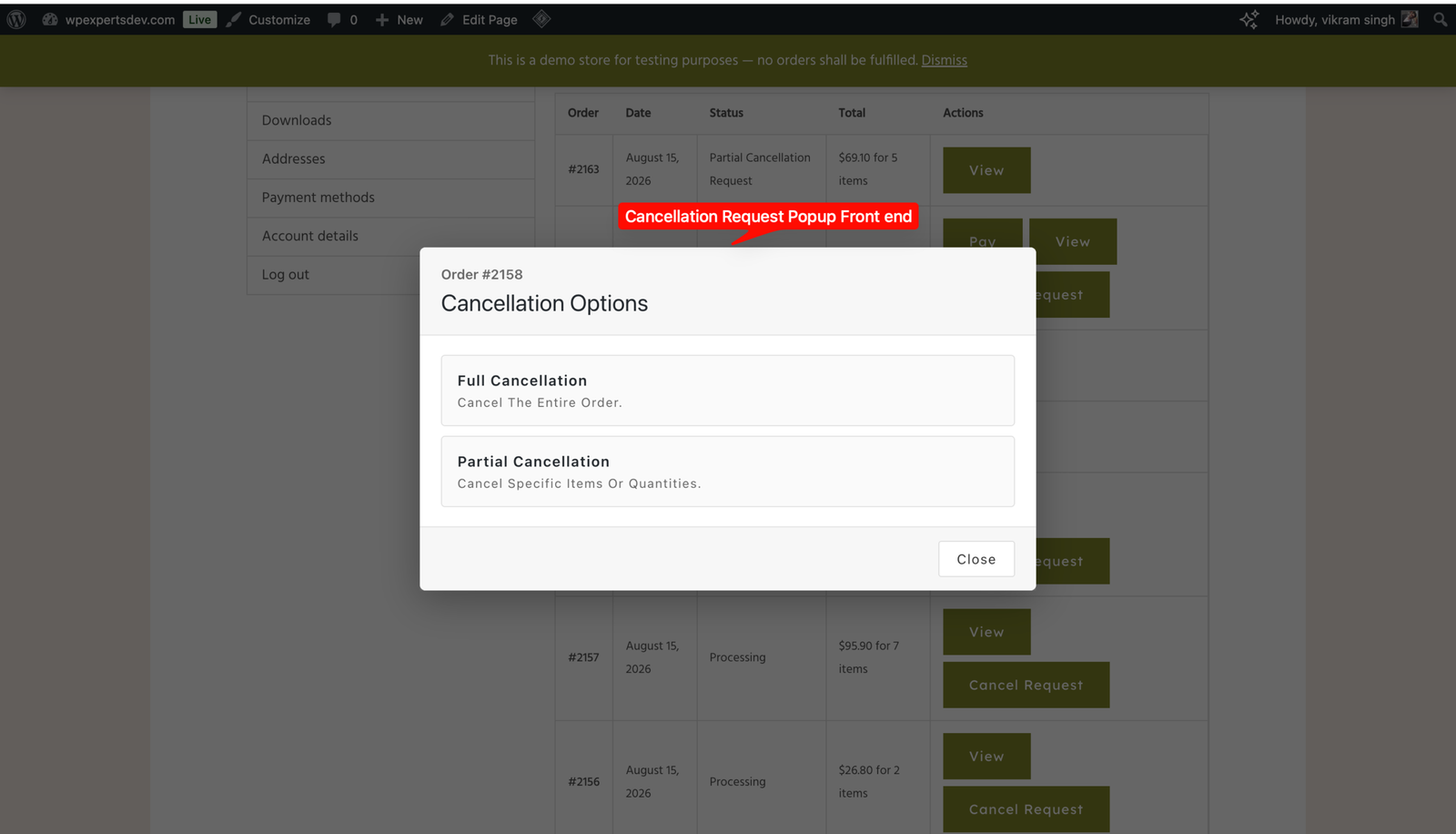
Customers can cancel the whole order or specific items and quantities — not just the entire order.

👛

Store wallet

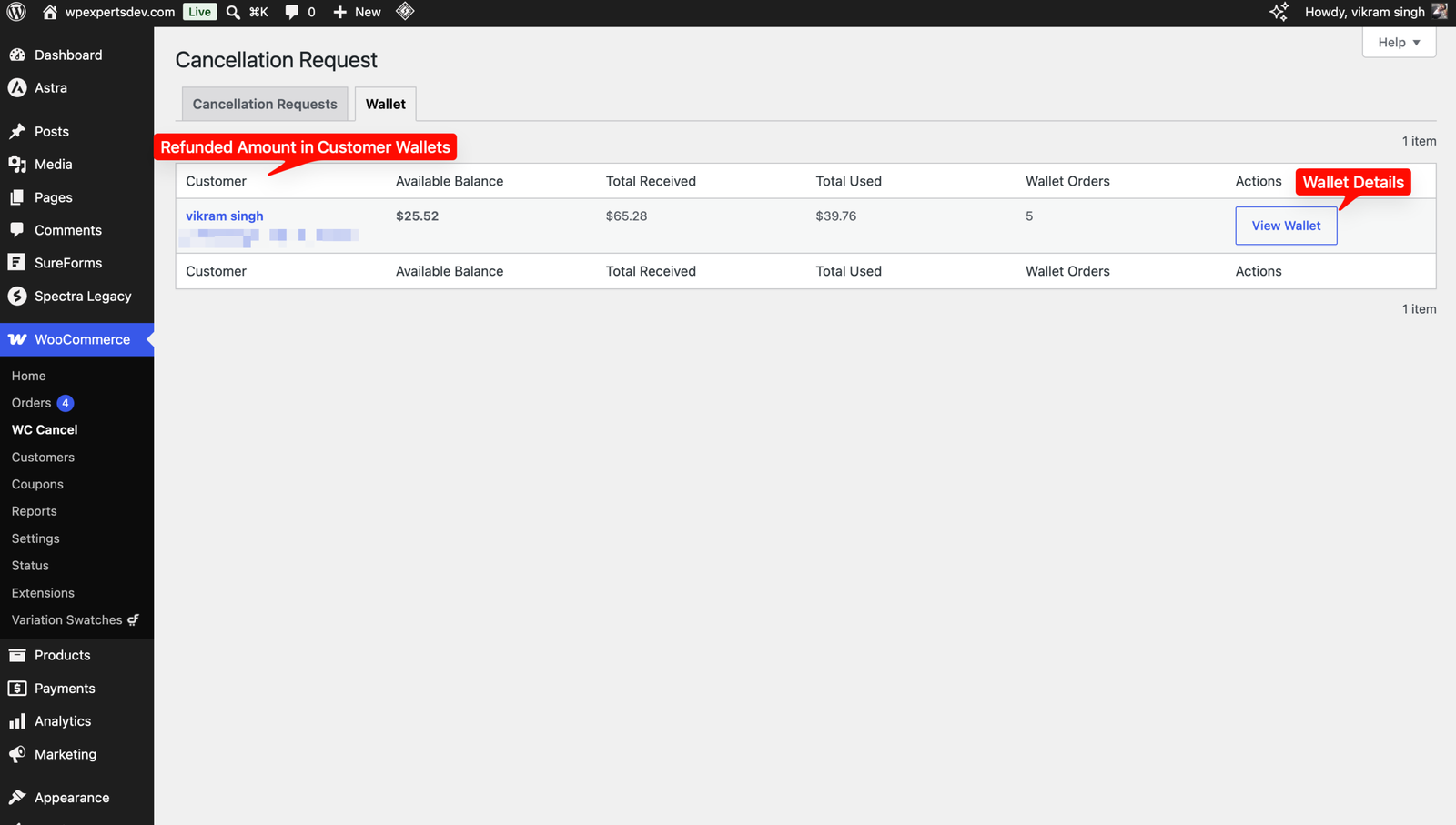
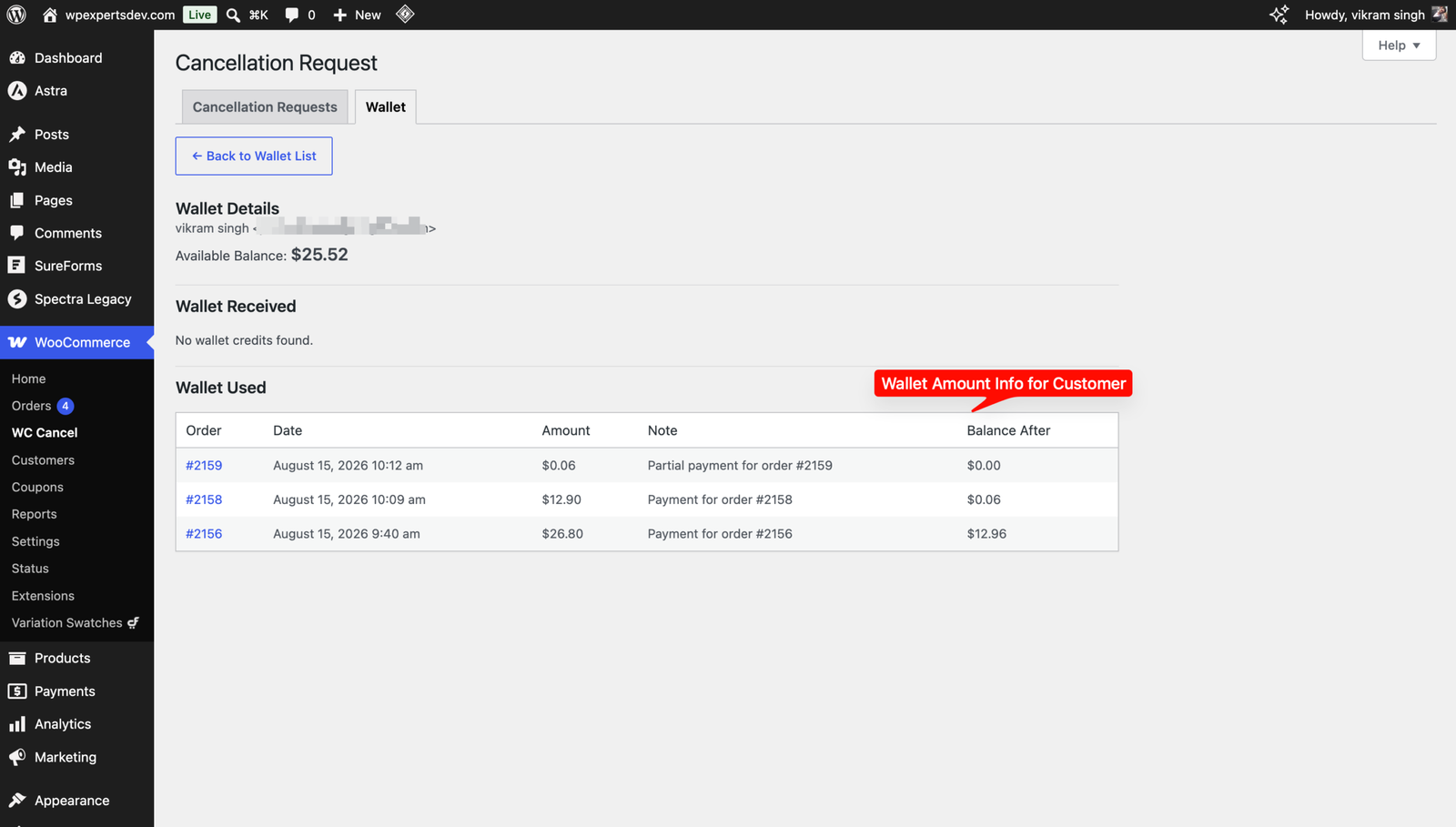
Credit the refunded amount to the customer wallet instead of the gateway; customers spend the balance at checkout via the wallet payment gateway.

📊

Wallet dashboard

View every customer balance, total received and total spent at a glance, and drill into per-order wallet credits and debits.

💸

Cancellation fee

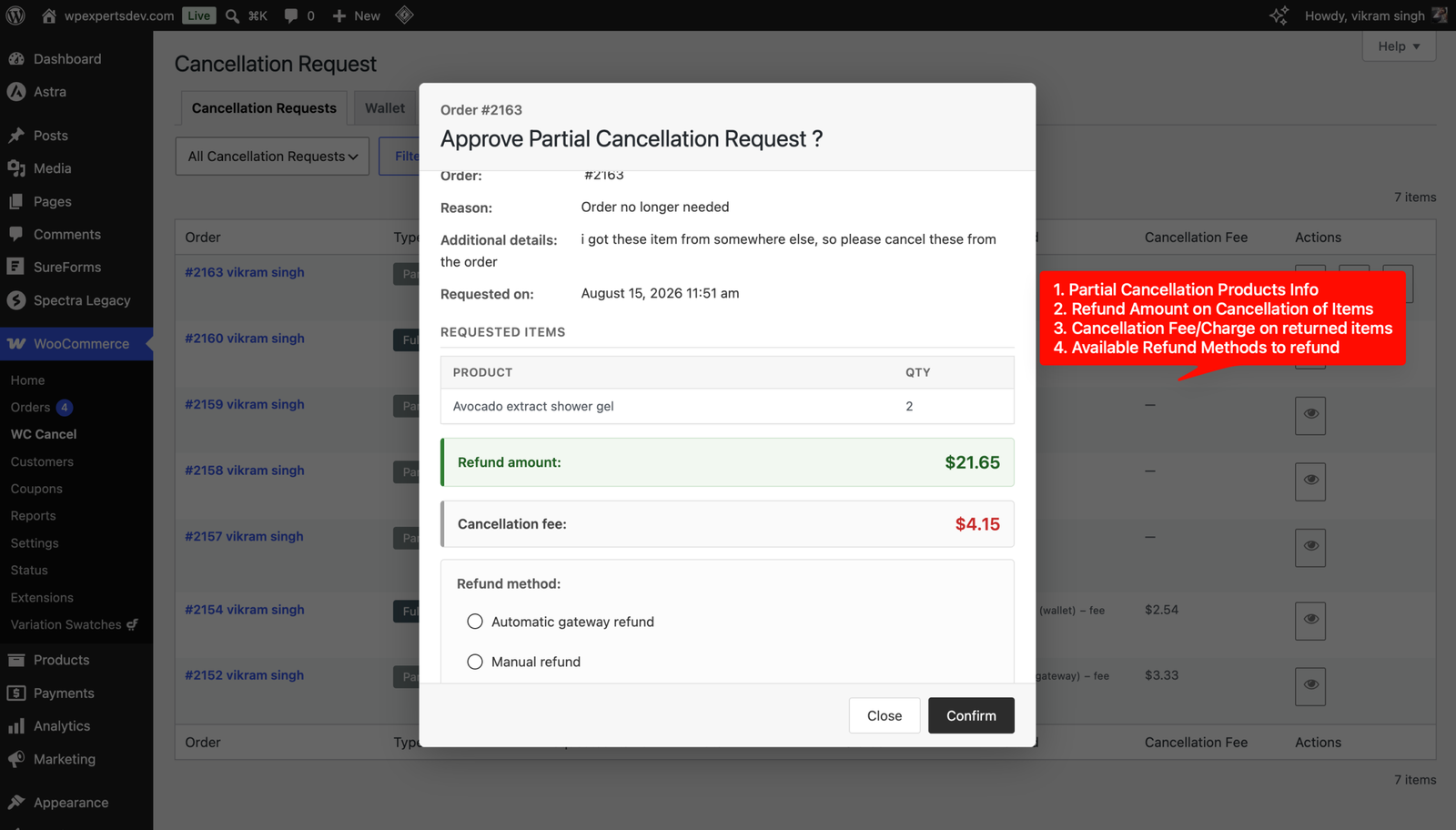
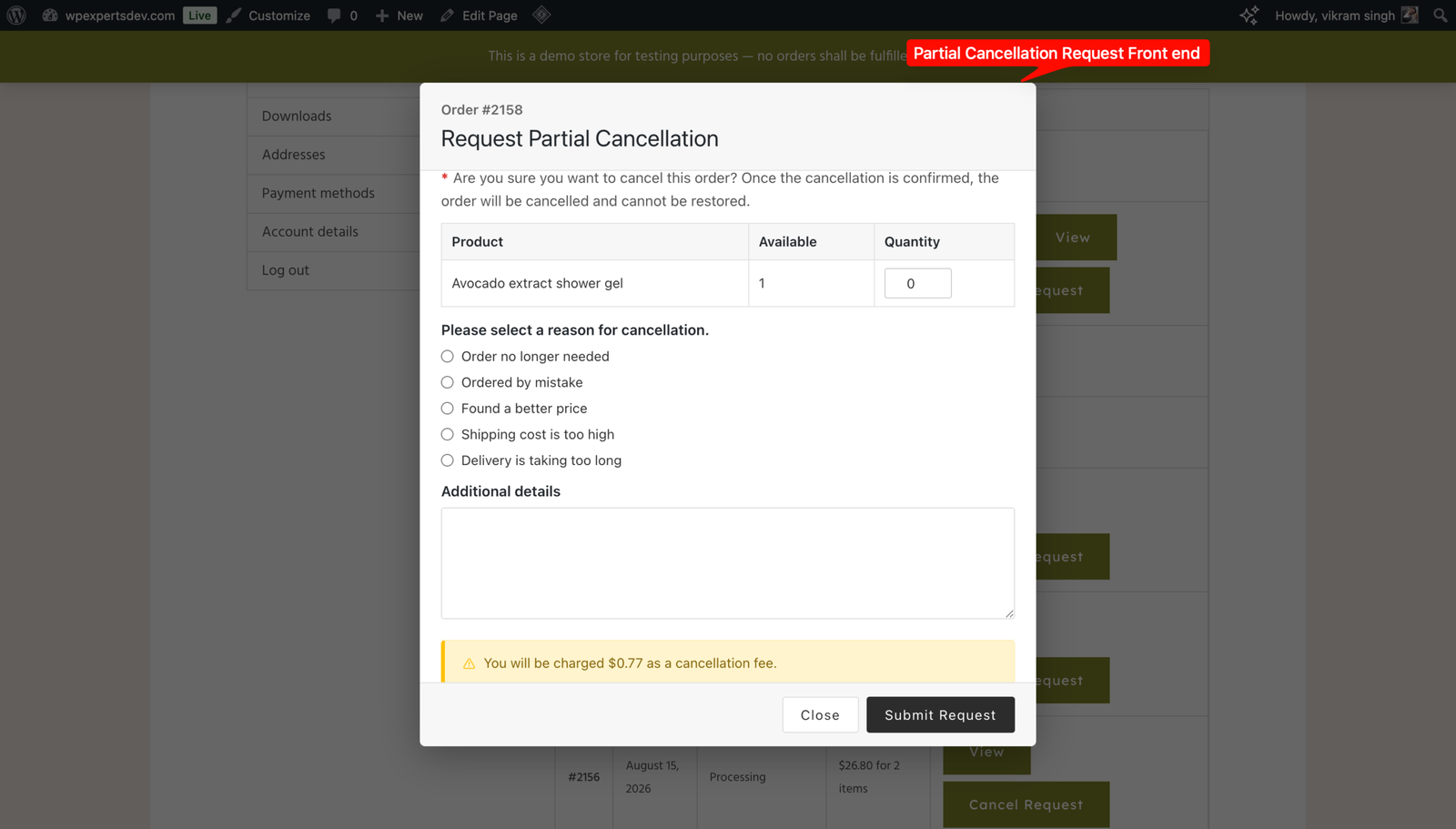
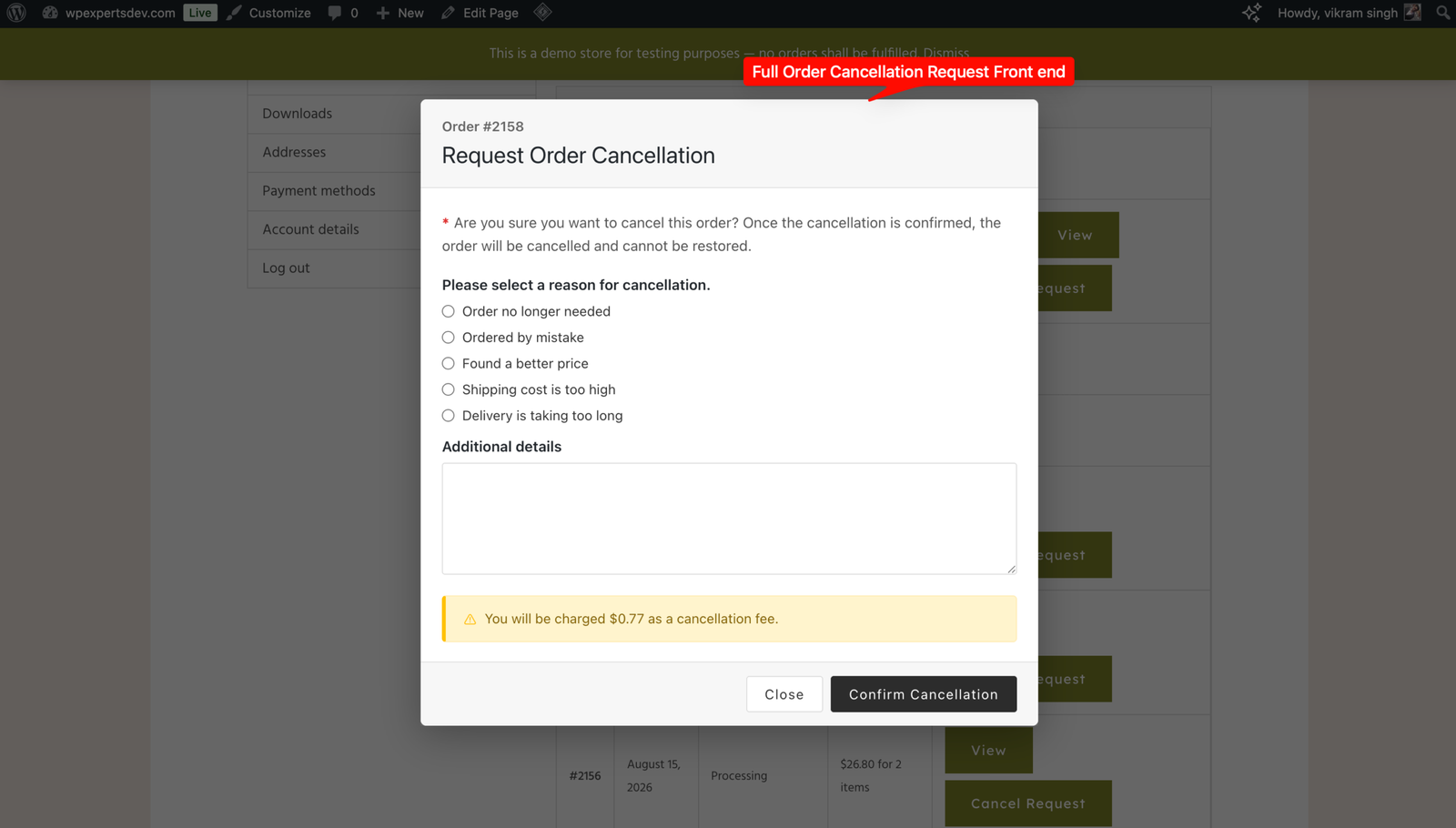
Charge a fixed amount or a percentage of the order total on approval. Shown in the popup before confirm, then deducted from the refund.

💳

Flexible refund methods

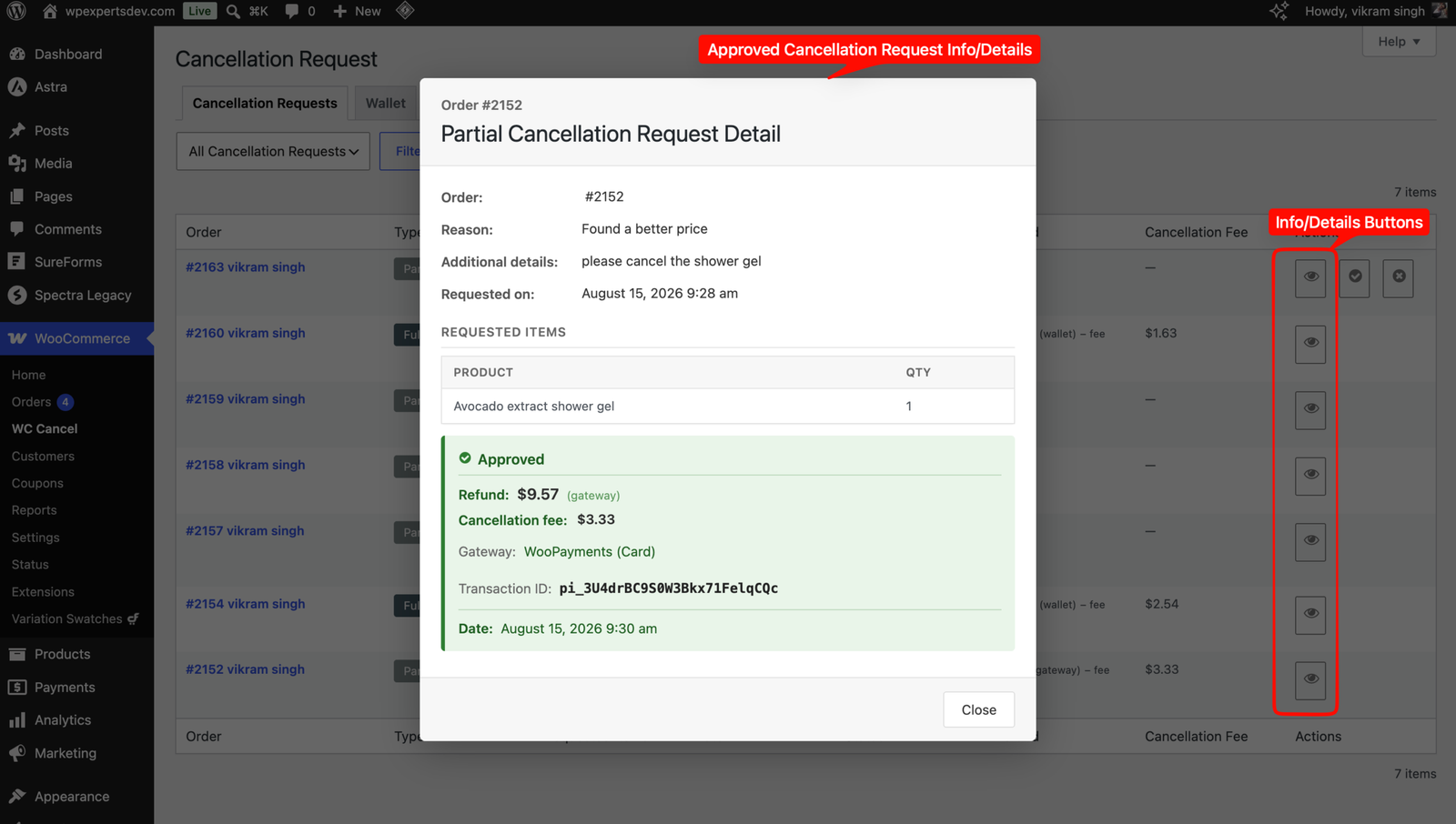
Automatic gateway refund, manual refund, or wallet credit for full and partial approvals, with transaction IDs recorded.

📦

Auto inventory restock

Stock is automatically restocked when a refund is issued on an approved cancellation.

Requests + immediate mode

Allow approval-based requests and direct immediate cancellations per order status, with auto-assigned statuses on approve or decline.

👥

Roles, reasons & time limits

Enable requests per user role, require reason radios or extra details, and hide the button after a configurable period.

📧

Emails & request dashboard

Admin and customer emails on received, approved and declined plus wallet receipts, with a merged dashboard and bulk actions.

How It Works

  1. 1

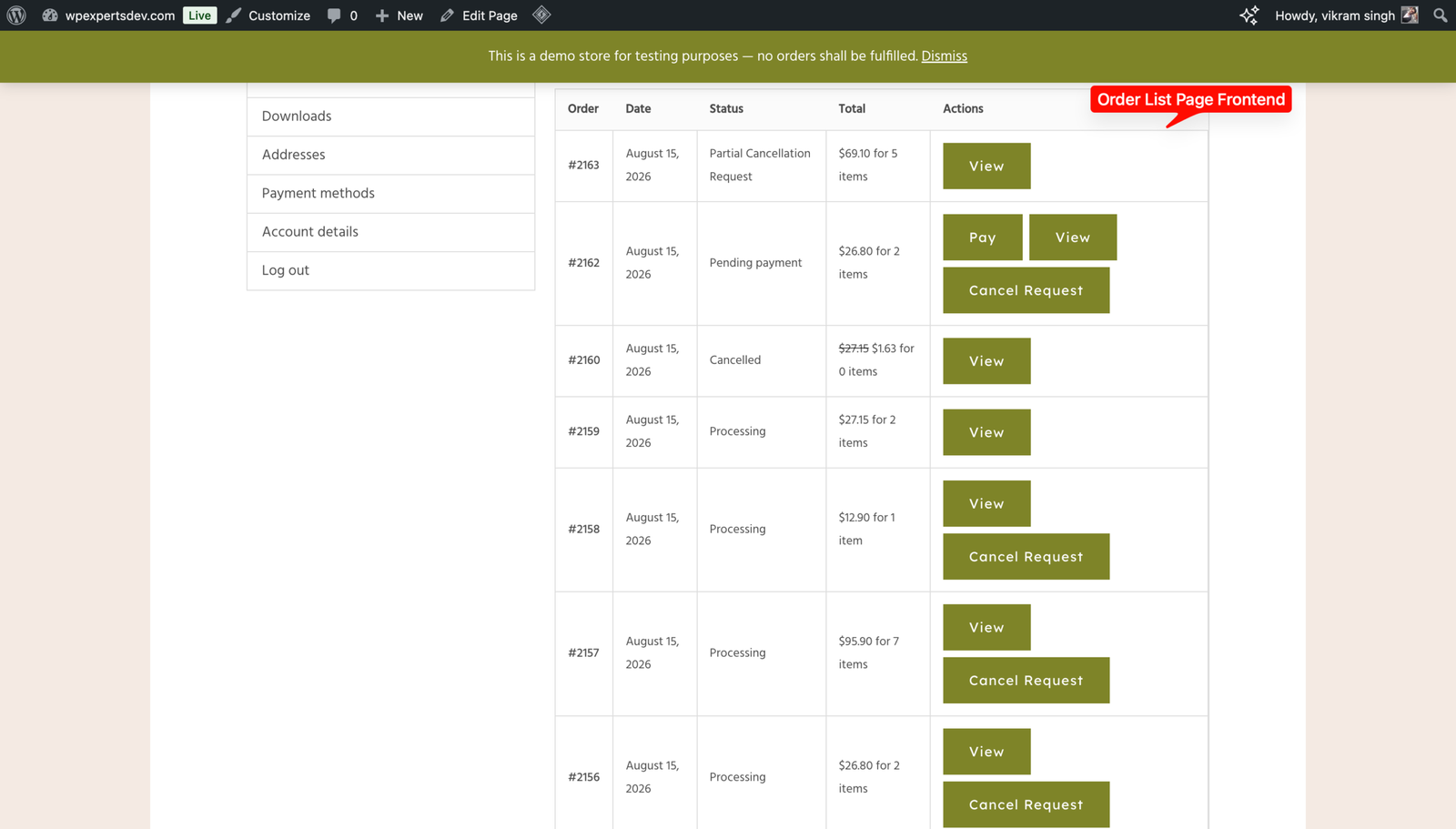
    Customer requests from My Account

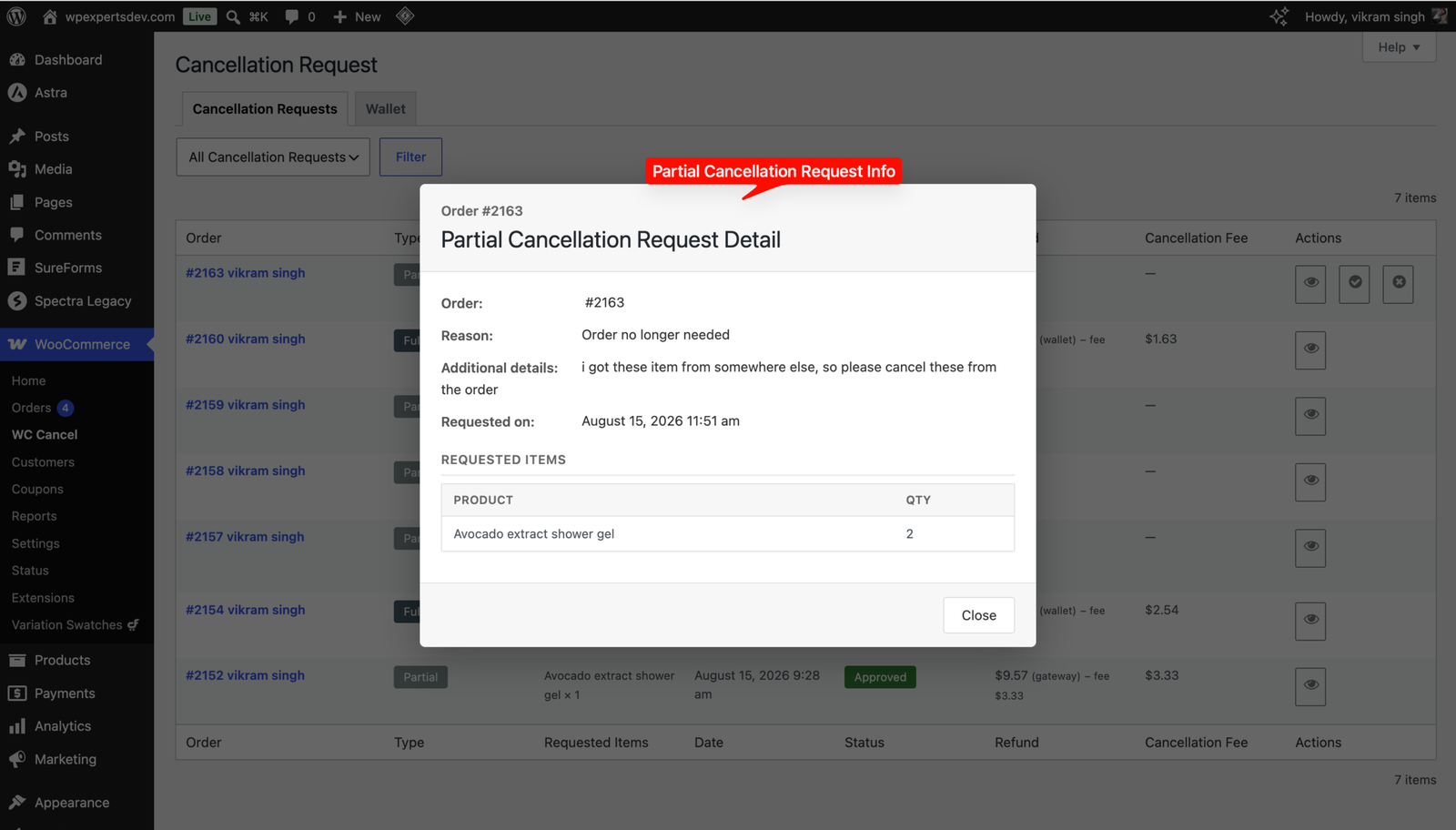
    The customer clicks Cancel on the order, picks full or partial cancellation with items and quantities, selects a reason, and confirms in the popup.

  2. 2

    Admin reviews the request

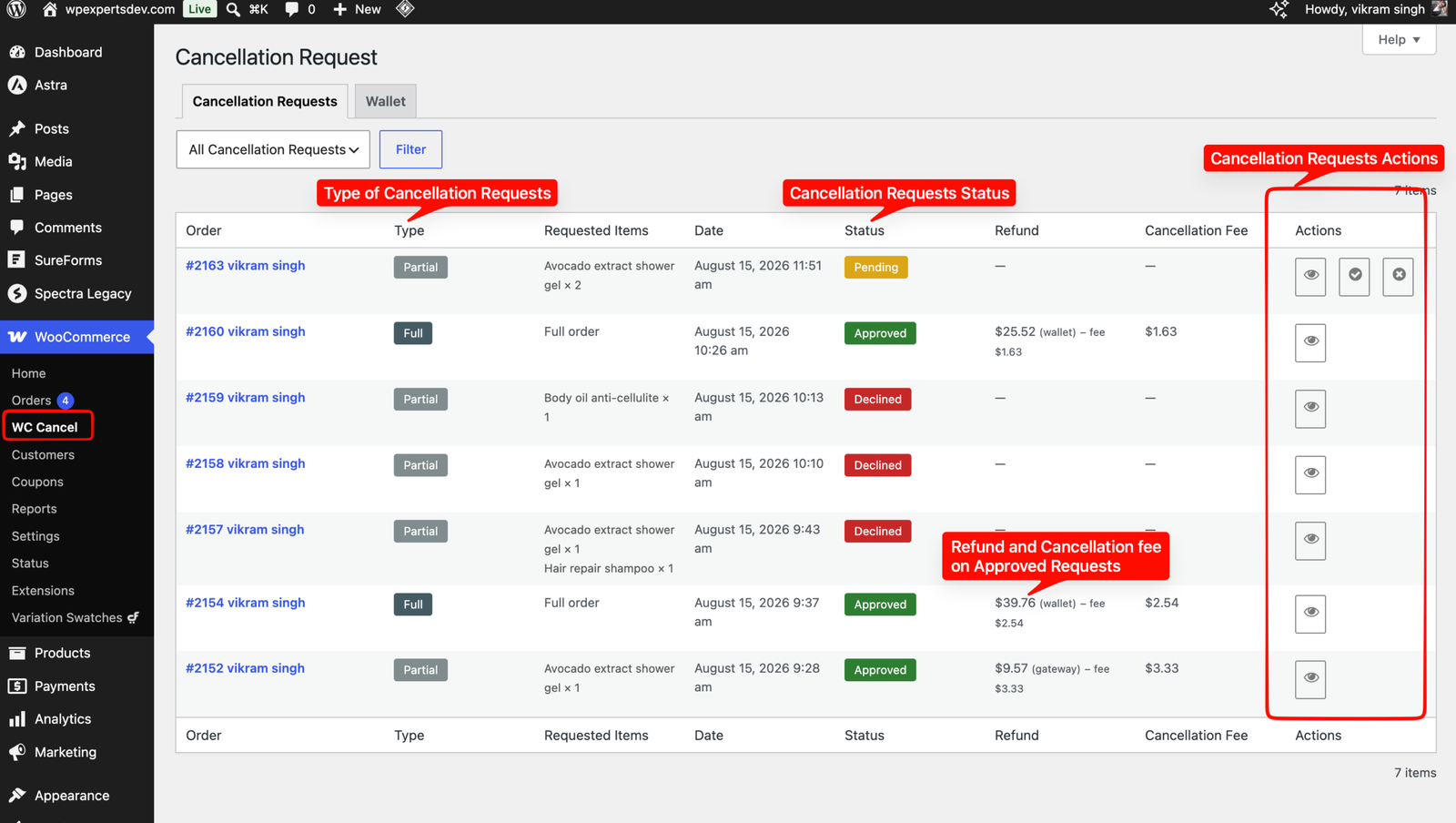
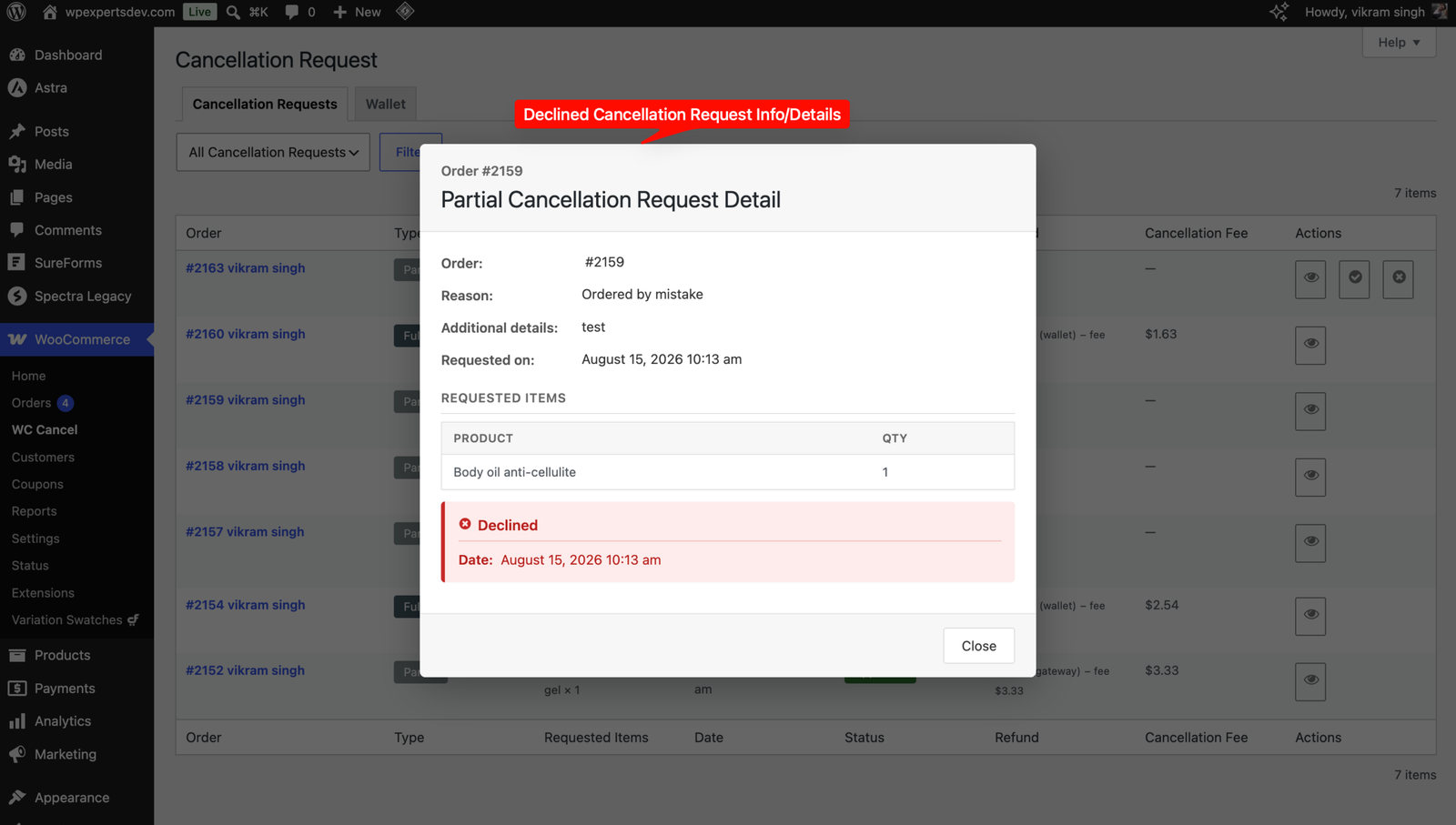
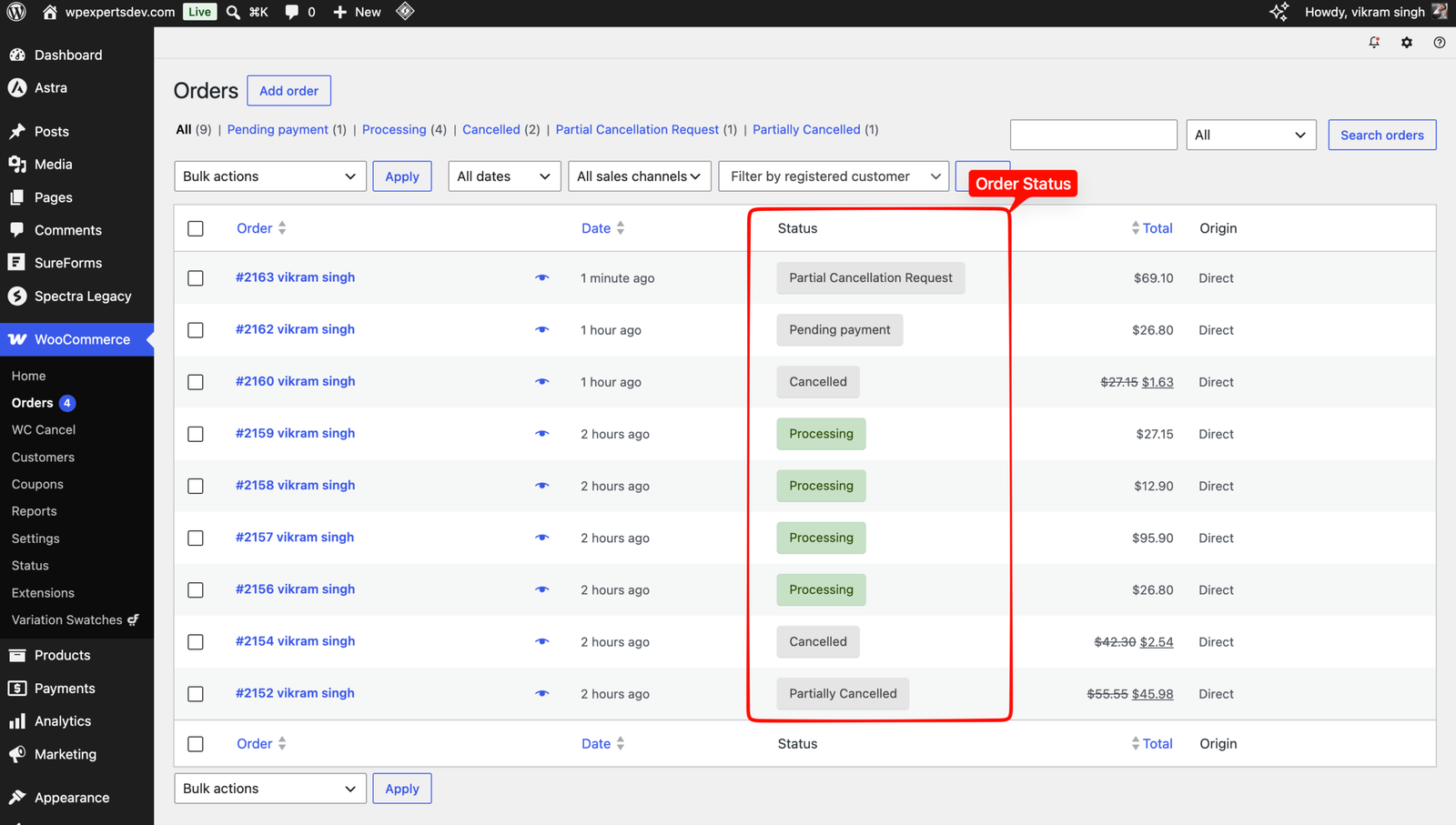
    Each request lands in the WC Cancel area with a merged Cancellation Requests dashboard showing full and partial requests together.

  3. 3

    Approve or decline

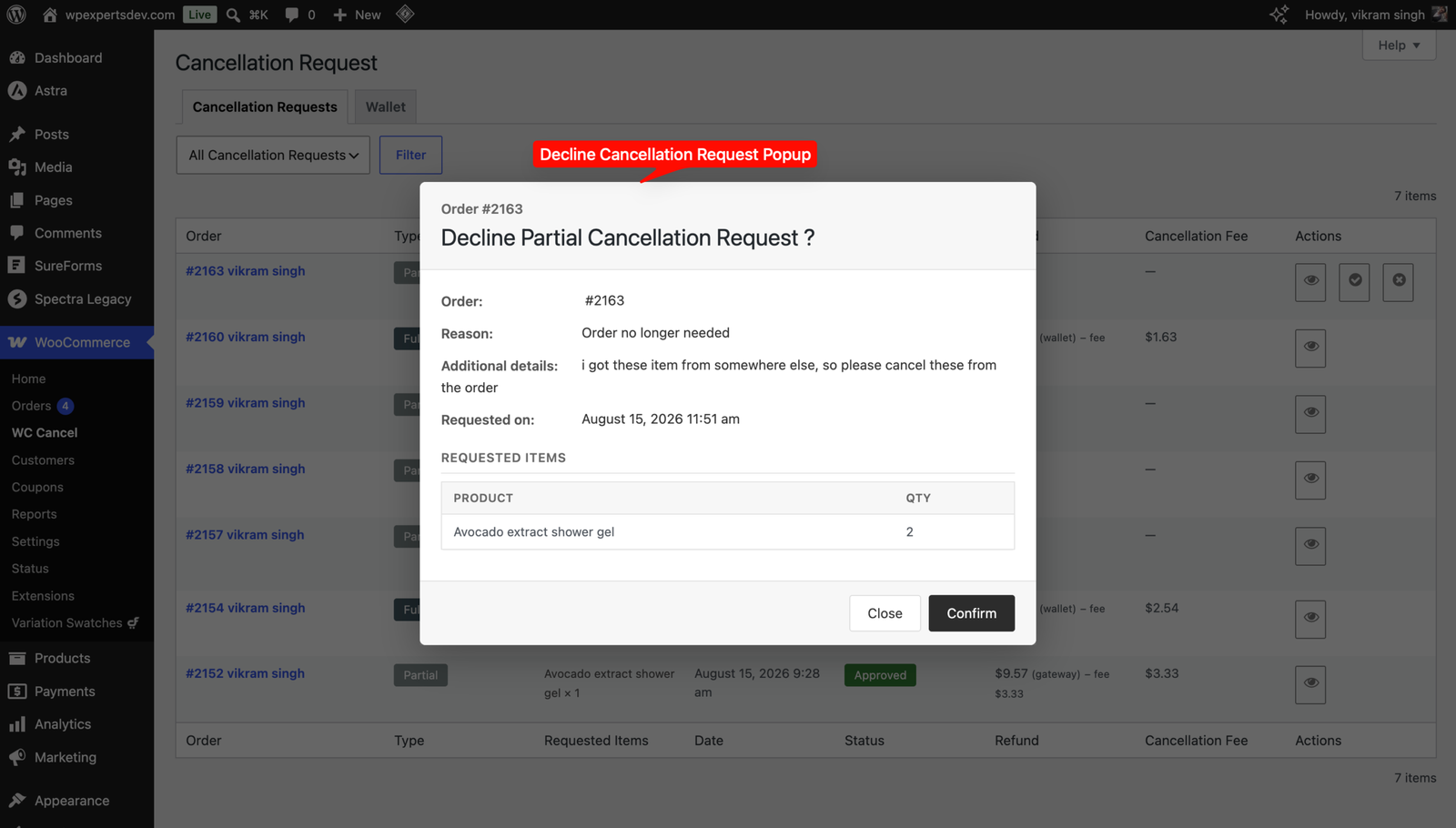
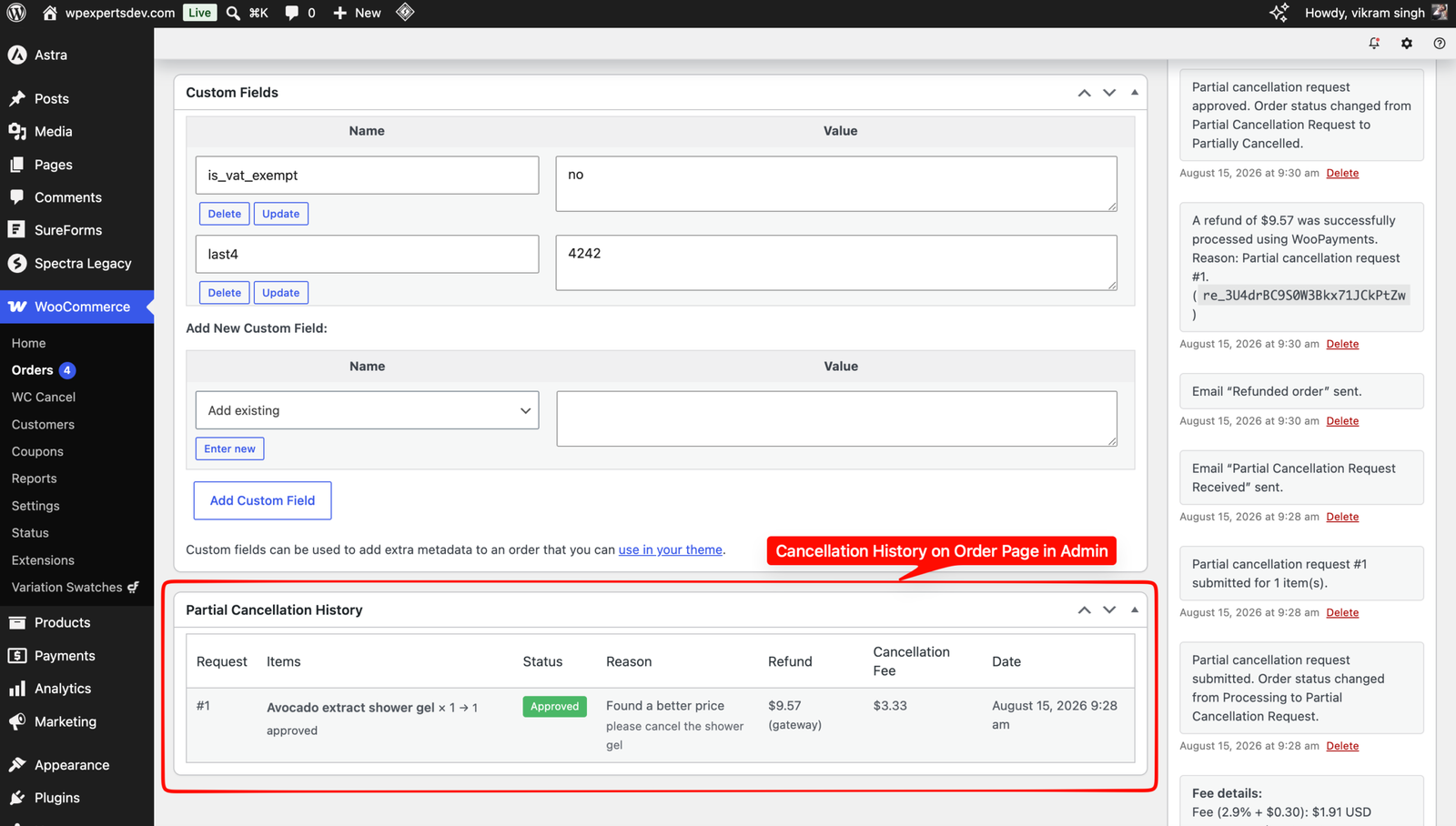
    Approving issues the refund via the chosen method, deducts any fee, restocks inventory and updates the order status. Declining assigns the decline status.

  4. 4

    Everyone is notified

    The customer gets request-received, approved or declined emails plus wallet-credit receipts, and the admin is notified of every new request.

Settings & Configuration

Common Settings

Applies to both full and partial requests: allowed order statuses, user roles, reason options with required or optional radios, custom popup note, and button visibility period.

Refund (Partial & Full)

Controls the refund on approval: enabled methods, default method, and automatic inventory restock. Approving with no method enabled issues no refund.

Cancellation Fee

Charge a fixed amount or a percentage of the order total when a cancellation is approved. The fee shows in the popup and is deducted from the refund.

Full Cancellation

Settings that apply only to full order cancellation, including immediate direct cancellation for selected statuses and the approval status.

Partial Cancellation

Settings that apply only to per-item cancellation requests, including item and quantity selection and partial refund handling.

Frequently Asked Questions

Q: What is the difference between full and partial cancellation?
Full cancellation cancels the entire order, while partial cancellation lets the customer cancel specific items or quantities and keep the rest of the order.
Q: Does the customer get an automatic refund on approval?
It depends on your Refund settings. You can issue an automatic gateway refund, record a manual refund, credit the store wallet, or approve with no refund.
Q: How does the store wallet work?
On approval you can credit the refunded amount to the customer wallet instead of the gateway. Customers then spend that balance at checkout through the wallet payment gateway.
Q: How is the cancellation fee applied?
Set a fixed amount or a percentage in the Cancellation Fee section. It is shown to the customer before they confirm and deducted from the refund on approval.
Q: Can I limit who can cancel and for how long?
Yes. Enable requests for specific order statuses and user roles, and hide the cancellation button after a configurable period in minutes, hours, days, months or years.
Q: Where do I get support for the plugin?
Contact support@wooexperts.com with your WC Cancel Pro plugin order ID and the support team will help you out.
PDF Invoice for Woocommerce

PDF Invoice for Woocommerce

  • Version 1.4
  • Tested up to 7.0
  • Requires WordPress 6.4+
  • Requires WooCommerce 10.0+

PDF Invoice for WooCommerce generates professionally designed PDF invoices automatically and attaches them to your WooCommerce order emails. Each invoice carries your company name,…

Bank Muscat Payment for Woocommerce

Bank Muscat Payment for Woocommerce

  • Version : 1.0
  • Tested up to : 6.9
  • Rating : 4.8
  • One Time Payment
$79.00 USD

The Bank Muscat payment gateway plugin for WooCommerce allows you to accept payments for orders. You can accept payments via debit card and credit…